

Headshot size, resizing and compression
Use a square speaker headshot at 300 × 300 px.
What submitters see
Section titled “What submitters see”On a submission form, the line under Headshot is yours to write. Add Help Text in Customize Question and that is the only copy they see. Leave Help Text empty and they see a type-and-size hint from the field — “Images only (up to 5 GB)” when Maximum file size is blank, or “Images only (up to 2 MB)” if you set 2 MB.
Session Files settings do not change that hint. See Session submission forms.
What the photo editor accepts
Section titled “What the photo editor accepts”Turn on participant headshot limitations in Settings → Record Settings to require formats, an optional file-size cap (10 KB to 5 GB), and max width or height. Larger images are resized to fit; files over the size cap are refused.
Resize headshots in bulk
Section titled “Resize headshots in bulk”Headshots that are already on file can be brought down to a consistent size without leaving Sessionboard.
-
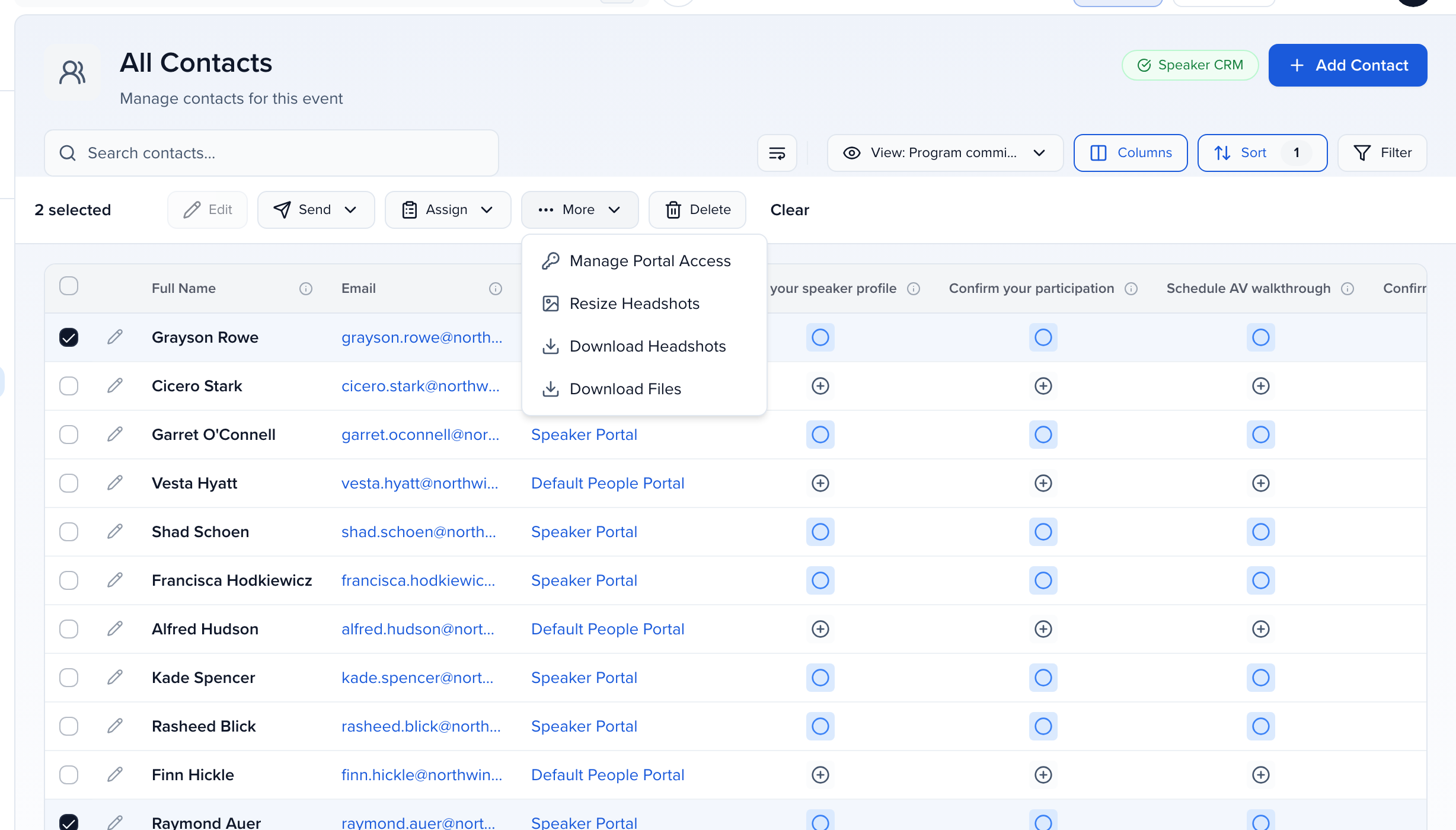
Open CRM → All Contacts (or Speakers) and tick the checkbox next to each contact whose headshot you want to resize.
-
In the bar that appears above the table, choose More → Resize Headshots.
-
Under Resize dimensions, pick Height x Width to set both, or Height or Width alone to scale proportionally. Under Resize filesize, optionally enter a target size in KB. Click Resize.
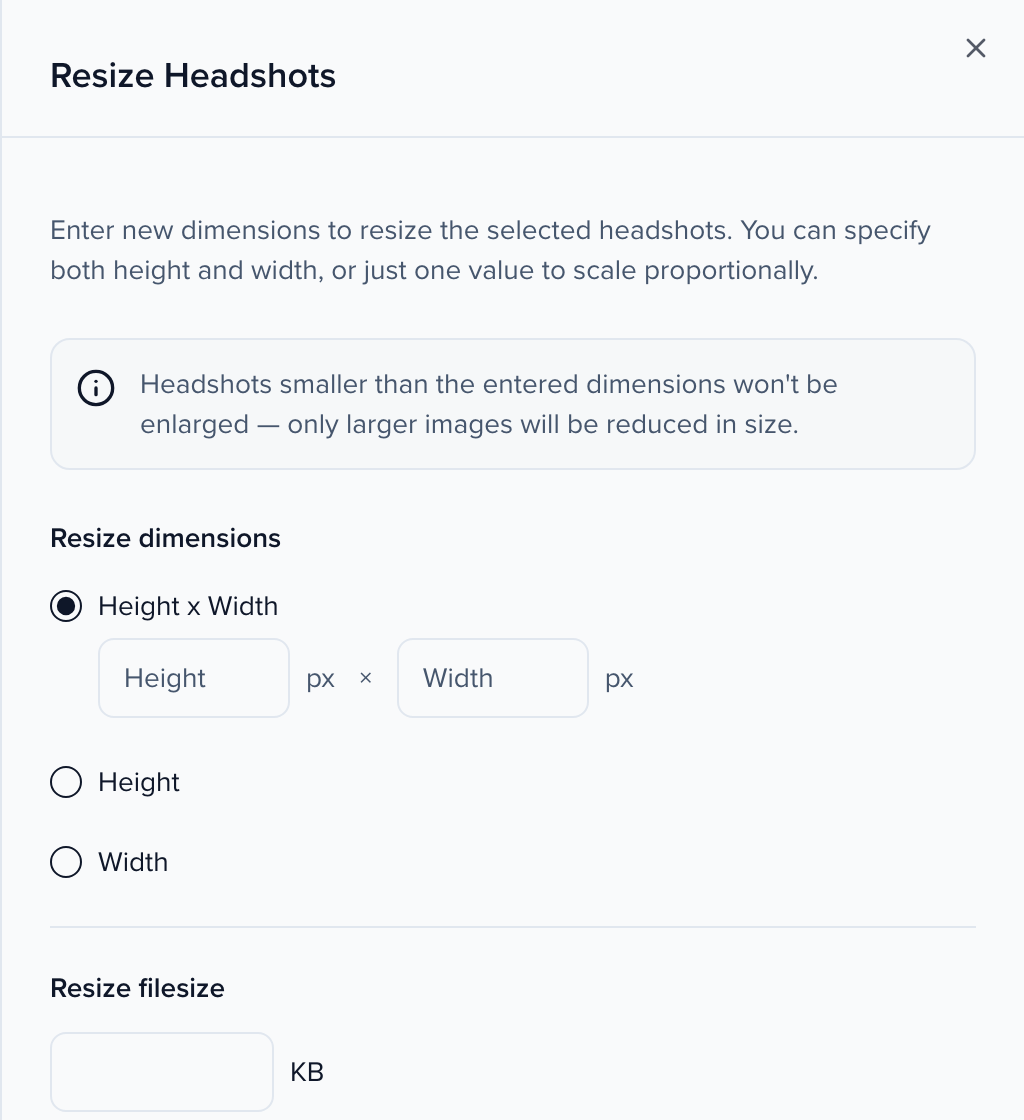
Headshots smaller than the dimensions you enter are left as they are — only larger images are reduced. The job runs in the background and the new files replace the originals over the next few minutes. The same More menu has Resize Logos for sponsor and exhibitor logos.
Automatic compression for new uploads
Section titled “Automatic compression for new uploads”If you want every headshot submitted from now on to land under a certain size, email support@sessionboard.com with your event name and the target size (for example 500 KB). Support turns on headshot compression for the event. From then on, each headshot uploaded through a form, a portal or the contact record is compressed to that target when it is saved; existing headshots are untouched unless you resize them in bulk as above.
How large headshots are delivered
Section titled “How large headshots are delivered”An image larger than 2 MB, such as a headshot, logo or other uploaded image, is delivered resized wherever it is shown or opened from its link, including forms, portals, embeds, Sites, exported links and the API. It is scaled to fit within 2400 × 2400 pixels, still far larger than any headshot is displayed; browsers that support WebP may receive a PNG as WebP. The file you uploaded is stored unchanged, and the bulk download tools, such as Download Headshots, always give you the originals at full resolution.
To pull the finished files out of Sessionboard, see Download headshots.