

Share your submission form
Once your session submission form is built, share its public link so people can start submitting. There is no separate publish step — the form accepts submissions as soon as the link is out, unless you set an open date.
Copy the link
Section titled “Copy the link”- Go to Program → Forms in your event.
- Open the ⋯ menu on the form and choose Copy Link. The public URL is copied to your clipboard.
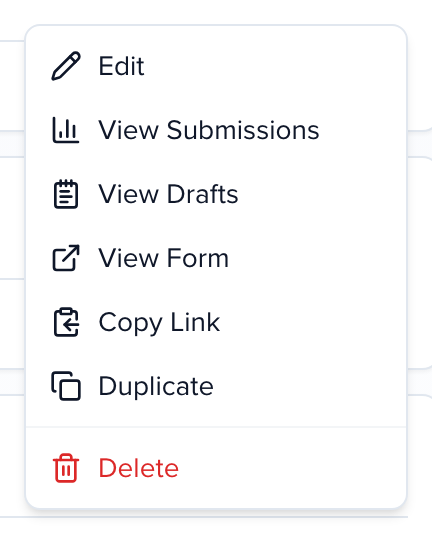
View Form in the same menu opens the form in a new tab so you can walk through it as a submitter before you send it. Inside the form builder, View Form and Copy Link stay in the header on every step.
Put the link wherever your audience is:
- in the call for papers email to your speaker list
- behind a button on your event website
- on your event’s Sessionboard Site, where Settings → Programs / CFP lists the form as a card on the signed-in home page — no link-pasting needed
Frequently asked questions
Section titled “Frequently asked questions”Can I embed the form on my website?
Section titled “Can I embed the form on my website?”No. The submission form is hosted by Sessionboard and opens from its link. Link to it from a button on your site rather than embedding it.
Can I set an open date?
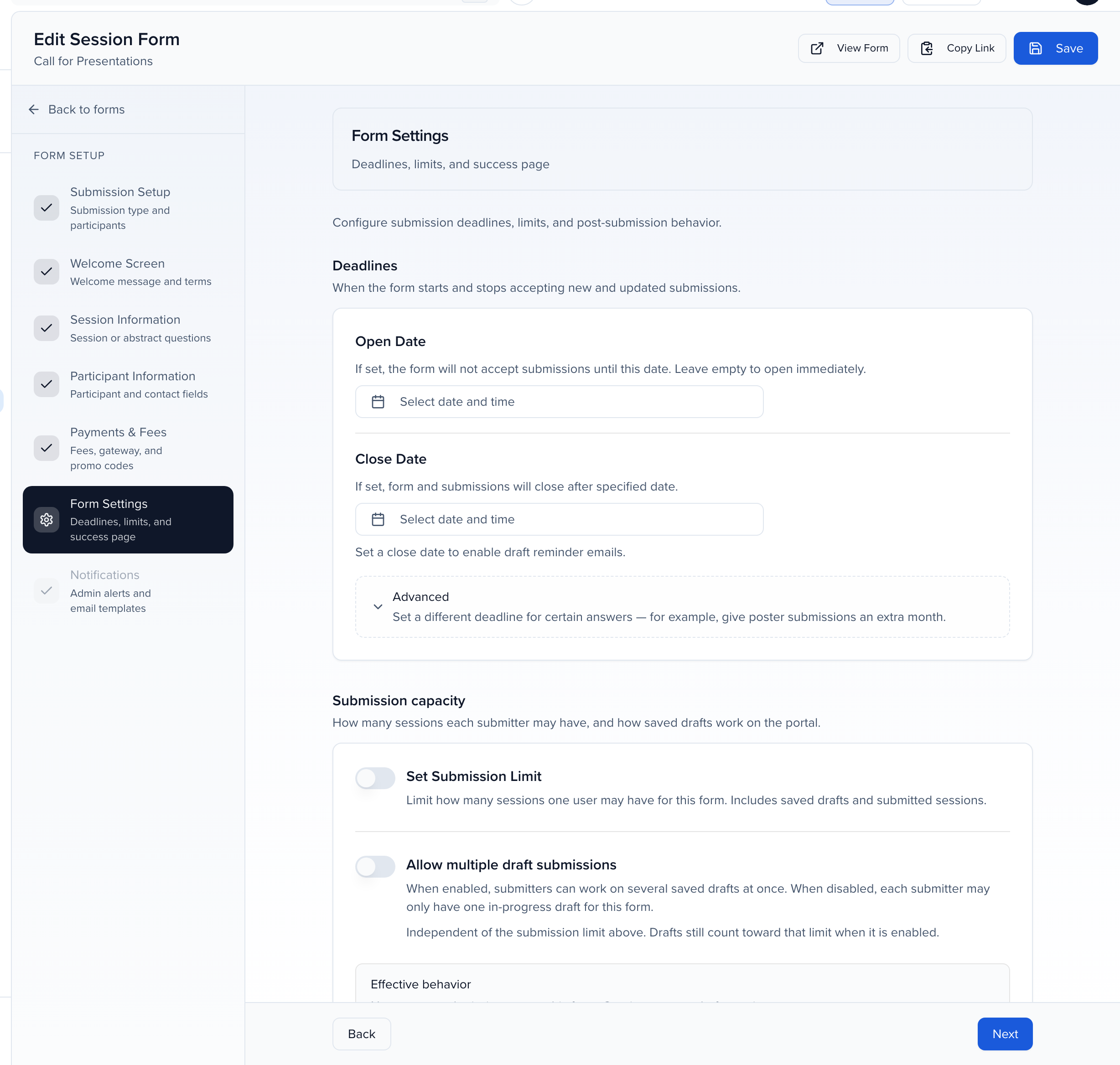
Section titled “Can I set an open date?”Yes. In the form builder, open Form Settings and set Open Date. Anyone who follows the link earlier sees Submissions are not yet open with the date the form opens. Leave it empty and the form opens as soon as you share the link.
Can I set a close date?
Section titled “Can I set a close date?”Yes. Close Date stops new submissions after that date and time and refuses edits to existing ones; visitors see Submissions closed. Once a close date is set, Send Reminder Email emails people with an unfinished draft five days and one day before the deadline. Advanced gives certain answers a different deadline — an extra month for posters, for example. Details are in Session submission forms.
Once I create my form, how do I open it?
Section titled “Once I create my form, how do I open it?”Share the link. If the form has no open date, or its open date has passed, it is already accepting submissions.