

Webhooks
A webhook sends an HTTP request from Sessionboard to a URL you choose each time something changes, such as a session being updated or a contact being added. Your system hears about the change straight away instead of asking the API over and over.
Why use it
Section titled “Why use it”- Keep a CRM, marketing tool or website in step with your program without scheduled exports or polling.
- Trigger your own automations, for example notifying a team channel when a session is created.
- Every request is signed, so your receiver can confirm it came from Sessionboard.
Where to set up webhooks
Section titled “Where to set up webhooks”- One event: open the event and go to Settings › Integrations › Webhooks. Endpoints here receive changes in that event only.
- Every event in the organization: go to Organization Settings › Webhooks. Endpoints here receive changes in all of the organization’s events, plus organization-level changes such as new contacts.
Add an endpoint
Section titled “Add an endpoint”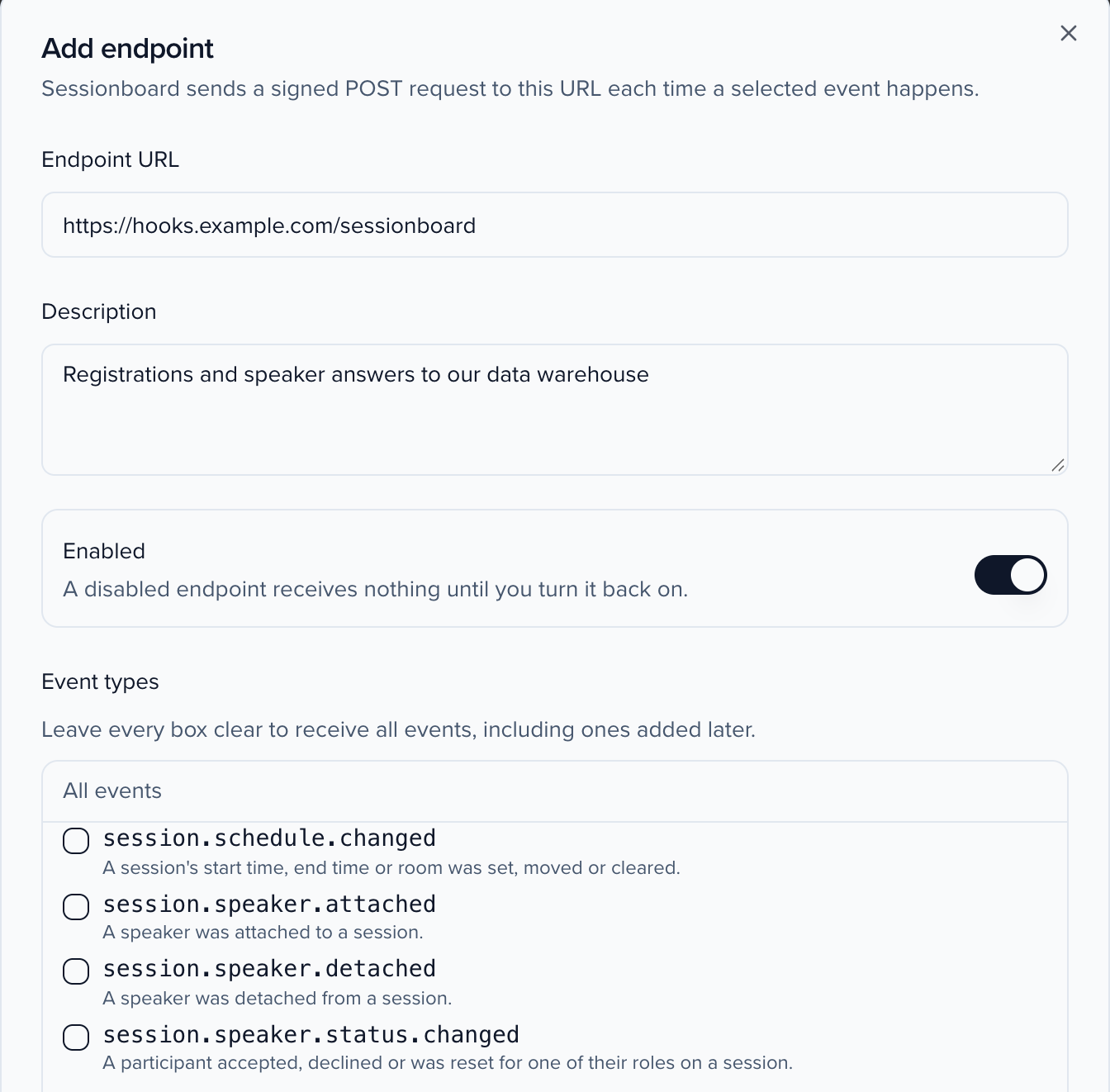
- Click Add endpoint and enter the URL that should receive the requests. It must be a public
httpsaddress. - Choose the event types to send, such as
session.updatedorcontact.created. Leave them all clear to receive every event type, including ones added later. A session’ssession.updatedalso covers its people: adding or removing a speaker or other participant (which also sendssession.speaker.attachedorsession.speaker.detached), and a speaker confirming, declining or withdrawing in the portal. A session created with speakers, for example by Import Sessions, lists them undersession_speakersinsession.created. - Add custom headers if your receiver expects them, for example an API key.
- Save, then copy the endpoint’s signing secret and give it to whoever runs the receiver. They use it to verify each request.
Check that it works
Section titled “Check that it works”- Testing sends an example of any event type to the endpoint, so you can confirm your receiver accepts it.
- Logs lists every delivery with its status and response, and lets you resend a message.
- Failed deliveries are retried automatically over about a day. An endpoint that keeps failing for several days is turned off; turn it back on once the receiver is fixed.