

Webhooks
Webhooks send your application an HTTP POST the moment something changes in Sessionboard, so you do not have to poll the API. Each request is signed, retried on failure, and recorded in a delivery log you can inspect and replay.
Event-level and organization-level endpoints
Section titled “Event-level and organization-level endpoints”You can add endpoints in two places:
- An event: Settings › Integrations › Webhooks in that event. The endpoint receives changes in that event only.
- The organization: Organization Settings › Webhooks. The endpoint receives changes in every event of the organization, and organization-level changes such as new contacts.
Both kinds behave the same way; only the scope differs. Interest Form, Awards and Awards Call for Reviewers events belong to the organization rather than an event, so only organization endpoints can receive them.
Event catalog
Section titled “Event catalog”Subscribe an endpoint to any of these event types. Leave every type clear to receive all of them, including types added later.
Contacts
| Event | Description |
|---|---|
contact.created | A new contact was created in the organization. |
contact.updated | A contact’s details were updated. |
contact.deleted | A contact was deleted from the organization. |
contact.merged | Duplicate contacts were merged into this contact. data.id is the contact that was kept; the contacts in data.mergedRecordIds no longer exist. |
contact.restored | A deleted contact was restored from Trash. |
contact.event.associated | A contact was associated with an event. |
contact.event.disassociated | A contact was removed from an event. |
Sessions
| Event | Description |
|---|---|
session.created | A new session was created. |
session.updated | A session’s details were updated. |
session.deleted | A session was deleted. |
session.restored | A deleted session was restored from Trash. |
session.speaker.attached | A speaker was attached to a session. |
session.speaker.detached | A speaker was detached from a session. |
session.status.changed | A session’s status or custom status changed, for example to accepted or declined. data carries status, previousStatus, customStatusId and previousCustomStatusId. |
session.schedule.changed | A session’s start time, end time or room was set, moved or cleared. data carries startsAt, endsAt, roomId and their previous… values. |
session.speaker.status.changed | A participant accepted, declined or was reset for one of their roles. data carries sessionId, contactId, sessionRoleId, roleSlug, status and previousStatus. |
Exhibitors
| Event | Description |
|---|---|
exhibitor.created | A new exhibitor was created. |
exhibitor.updated | An exhibitor’s details were updated. |
exhibitor.deleted | An exhibitor was deleted. |
exhibitor.restored | A deleted exhibitor was restored from Trash. |
exhibitor.event.associated | An exhibitor was associated with an event. |
exhibitor.event.disassociated | An exhibitor was removed from an event. |
Sponsors
| Event | Description |
|---|---|
sponsor.created | A new sponsor was created. |
sponsor.updated | A sponsor’s details were updated. |
sponsor.deleted | A sponsor was deleted. |
sponsor.restored | A deleted sponsor was restored from Trash. |
sponsor.event.associated | A sponsor was associated with an event. |
sponsor.event.disassociated | A sponsor was removed from an event. |
Reviews
A review is submitted when it becomes complete: every required question is answered, or the reviewer abstained. Later edits do not send it again. Public-voting ballots and AI reviews are not included. In a blind round, reviewerId is left out.
| Event | Description |
|---|---|
session.review.submitted | A reviewer completed their review of a session. data carries sessionId, planId, roundId, abstained, score, scoreScale, scoringMode, blind and, unless blind, reviewerId. |
session_review_round.completed | Every review assigned in a review round is complete. Sent once per round. |
Interest Forms (organization endpoints only)
| Event | Description |
|---|---|
interest_form_submission.submitted | A submission was submitted (it left draft). |
interest_form_submission.status.changed | A submission’s status changed, for example to accepted or declined. |
interest_form_submission.review.submitted | A reviewer completed their review of a submission. Same fields as session.review.submitted, with submissionId. |
interest_form_review_round.completed | Every review assigned in a round is complete. Sent once per round. |
Awards (organization endpoints only)
| Event | Description |
|---|---|
award_submission.submitted | An entry or nomination was submitted. When the program charges an entry fee, this is sent once payment completes. |
award_submission.status.changed | A submission’s status changed, for example to under review, accepted or rejected. |
award_submission.review.submitted | A reviewer completed their Scorecard (or abstained). data carries submissionId, programId, roundId and the score fields. |
award_review_round.completed | Every review assigned in a round is in. Sent once per round, within the hour. |
award_submission.winner.selected | A submission was selected as a winner. data carries submissionId, programId and winnerTypeId. |
Call for Reviewers
People apply through a call’s interest form or are invited by an admin. session_reviewer_* events come from calls on an event’s Review; award_reviewer_* events come from Awards calls and reach organization endpoints only. data carries callId, userId, email, source, status and previousStatus.
| Event | Description |
|---|---|
session_reviewer_application.submitted / award_reviewer_application.submitted | Someone applied through the call’s interest form. |
session_reviewer_application.approved / award_reviewer_application.approved | An admin approved an application. |
session_reviewer_application.rejected / award_reviewer_application.rejected | An admin rejected an application. |
session_reviewer_invite.accepted / award_reviewer_invite.accepted | An invited reviewer accepted. |
session_reviewer_invite.declined / award_reviewer_invite.declined | An invited reviewer declined. |
Payload structure
Section titled “Payload structure”Every delivery is a JSON body with two keys. data identifies the record that changed, and metadata describes the change. To read the record itself, call the Public API at metadata.resource_url.
{ "data": { "id": "fd4e0275-f018-40bc-909a-f8cdfa0df354", "sourceOfChange": "user" }, "metadata": { "action": "session.updated", "actor_id": 7, "event_id": 4001, "org_id": "757e8d5b-ce66-45f5-ab36-273414f8ab2f", "resource_url": "https://public-api.sessionboard.com/v1/event/4001/sessions/fd4e0275-f018-40bc-909a-f8cdfa0df354", "version": 1, "datetime": "2026-04-28T16:00:00Z" }}| Field | Description |
|---|---|
data.id | Identifier of the record that changed. |
data.sourceOfChange | Whether a user or an agent made the change. |
metadata.action | The event type, for example session.updated. |
metadata.actor_id | ID of the user who made the change. null for system changes. |
metadata.event_id | The Sessionboard event the change belongs to. null for organization-level changes. |
metadata.org_id | Your organization’s identifier. |
metadata.resource_url | Public API URL that returns the full record. |
metadata.version | Payload schema version, currently 1. |
metadata.datetime | UTC ISO 8601 time the change happened in Sessionboard. |
Create an endpoint
Section titled “Create an endpoint”Open Webhooks
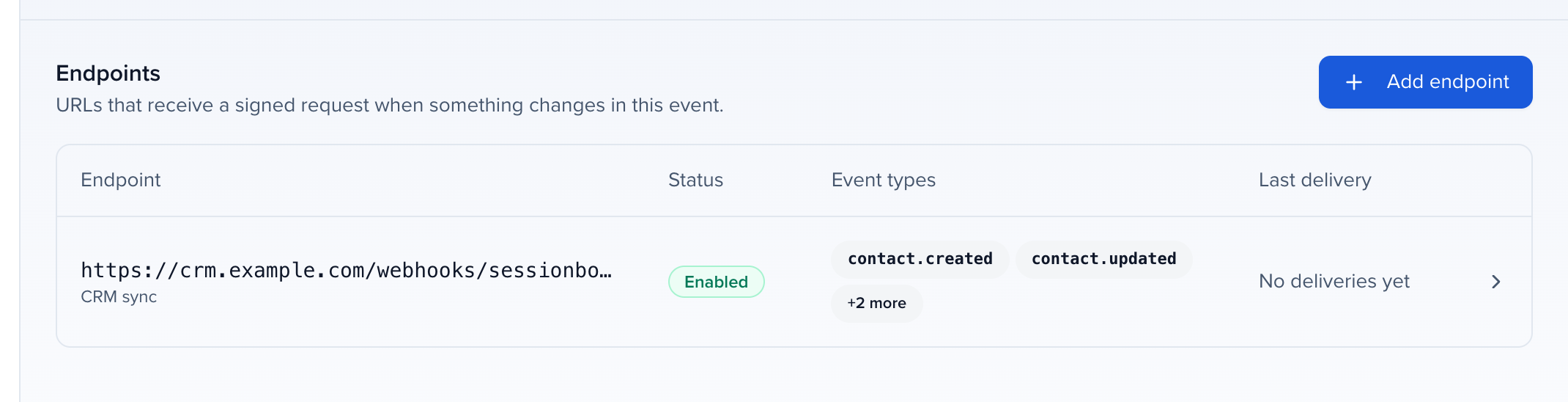
In the event, go to Settings › Integrations › Webhooks. For every event at once, go to Organization Settings › Webhooks instead.
Add the endpoint
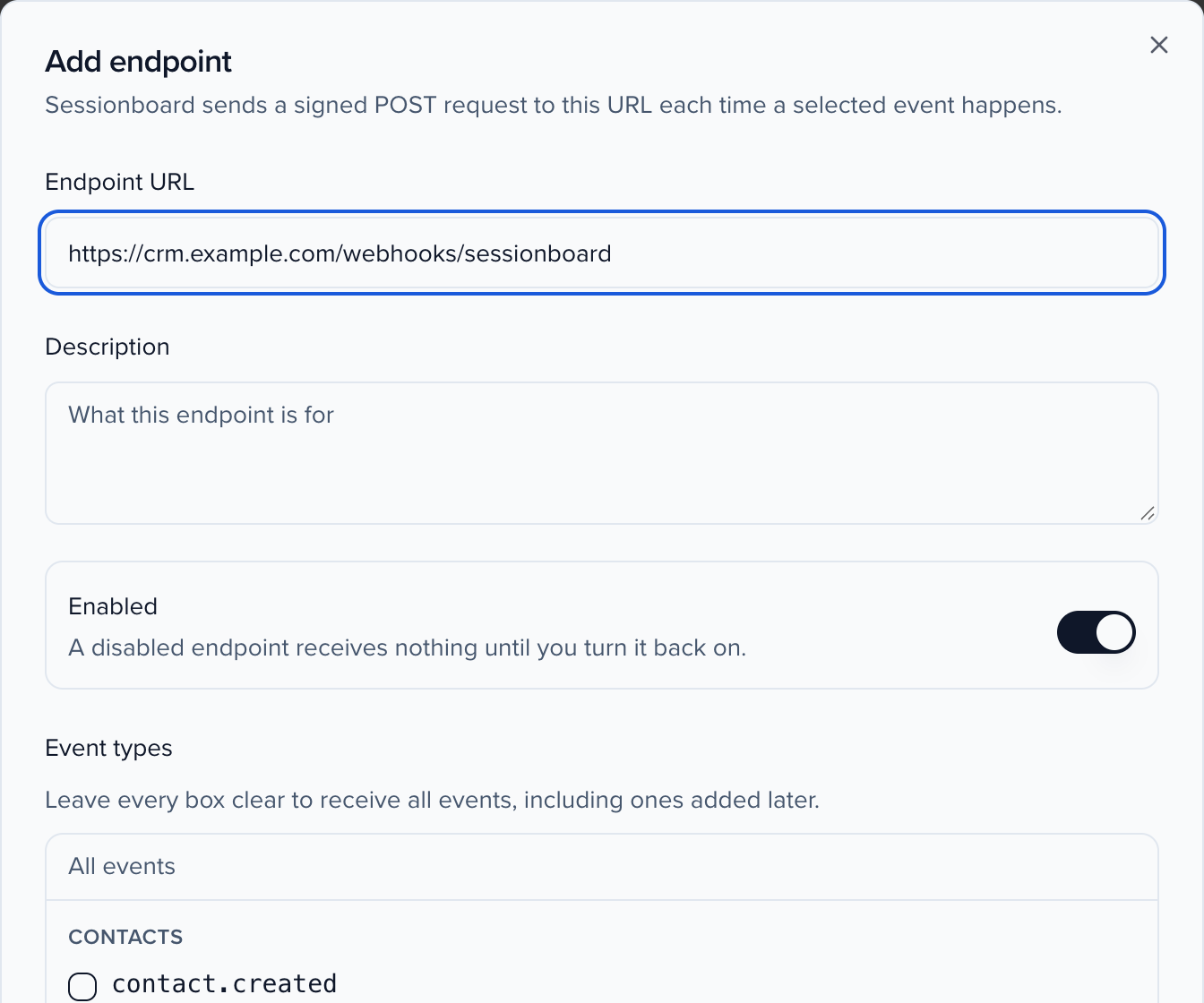
Click Add endpoint and enter your receiver’s URL. It must be a public https address; private and internal addresses are refused. Optionally add a description, choose event types, set a rate limit, and add custom headers.
Copy the signing secret
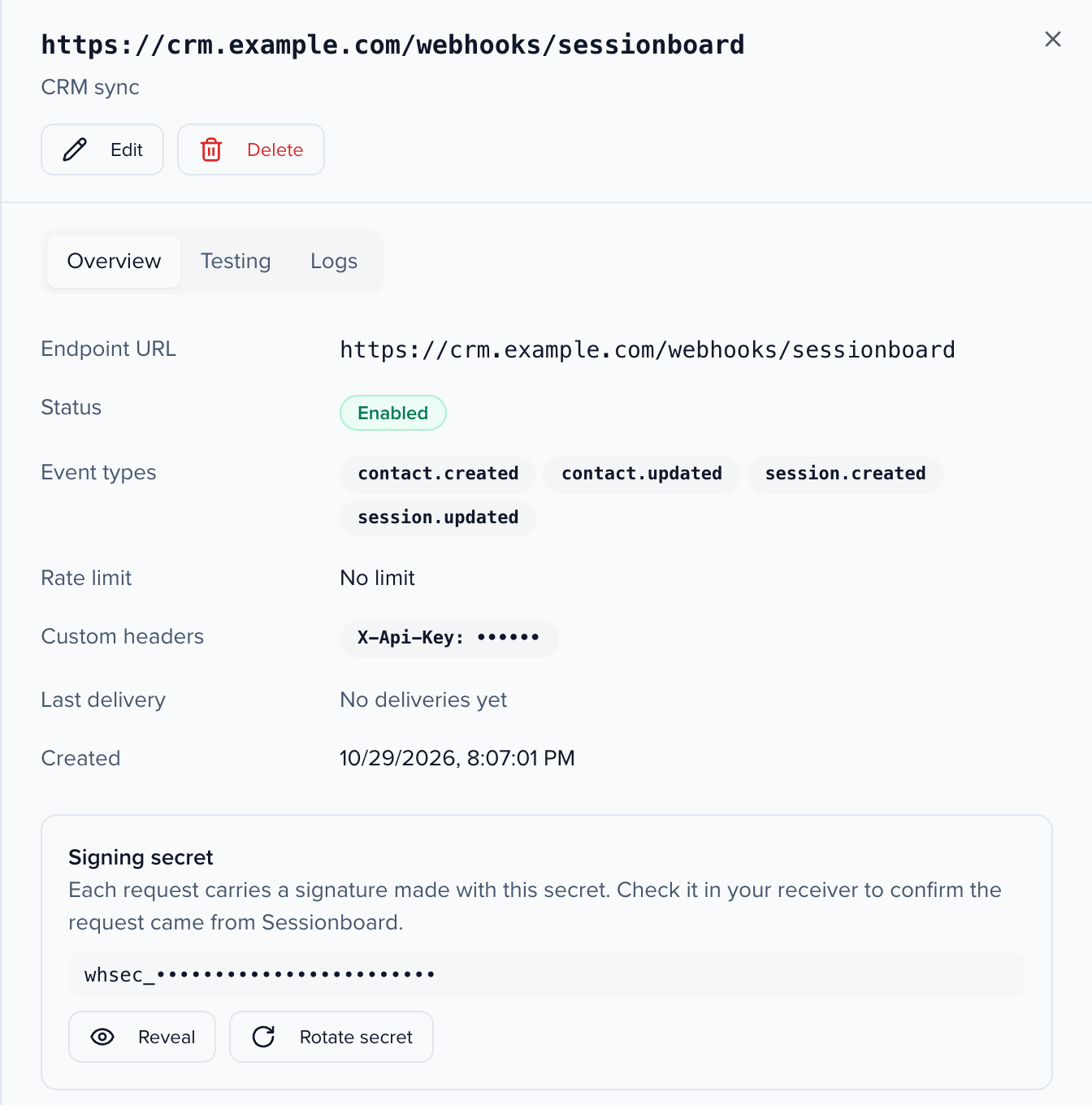
After you save, Sessionboard shows the endpoint’s signing secret (it starts with whsec_). Store it with your receiver to verify each request. You can reveal it again from the endpoint at any time.
Open an endpoint to see its settings, its signing secret, and the Testing and Logs tabs.
Custom headers and rate limit
Section titled “Custom headers and rate limit”- Custom headers are sent with every request, for example an API key your receiver expects. Values are hidden after you save. You can add up to 20. Sessionboard sets
Content-Type,User-Agentand thesvix-*andwebhook-*signature headers itself, so you cannot override them. - Rate limit caps how many requests per second Sessionboard sends to the endpoint. Leave it empty for no limit.
Verify the signature
Section titled “Verify the signature”Every request carries three headers. Each is sent under two names, svix-* and the Standard Webhooks webhook-* equivalent, with identical values:
| Header | Value |
|---|---|
svix-id / webhook-id | Unique message ID (msg_…). The same ID is sent on every retry of a message, so use it to ignore duplicates. |
svix-timestamp / webhook-timestamp | Unix time in seconds when the request was signed. |
svix-signature / webhook-signature | One or more space-separated signatures, each v1,<base64>. |
The signature is an HMAC-SHA256 of {id}.{timestamp}.{body}, keyed with the base64-decoded part of your secret after whsec_. Verify against the raw request body, before any JSON parsing. Reject requests whose timestamp is more than five minutes old.
The easiest way is a Standard Webhooks library. The svix and standardwebhooks packages both work:
import { Webhook } from "svix";
const wh = new Webhook(process.env.SESSIONBOARD_WEBHOOK_SECRET);
app.post("/webhooks/sessionboard", express.raw({ type: "application/json" }), (req, res) => {  try {    const event = wh.verify(req.body, {      "svix-id": req.header("svix-id"),      "svix-timestamp": req.header("svix-timestamp"),      "svix-signature": req.header("svix-signature"),    });    // handle event.metadata.action    res.sendStatus(204);  } catch {    res.sendStatus(400);  }});
from svix.webhooks import Webhook, WebhookVerificationError
wh = Webhook(os.environ["SESSIONBOARD_WEBHOOK_SECRET"])
@app.post("/webhooks/sessionboard")def receive(): try: event = wh.verify(request.get_data(), dict(request.headers)) except WebhookVerificationError: return "", 400 # handle event["metadata"]["action"] return "", 204Rotating the secret
Section titled “Rotating the secret”Rotate secret creates a new secret and signs with it immediately. For the next 24 hours each request is also signed with the old secret, as a second v1,… entry in the signature header, so your receiver keeps verifying while you deploy the new one. Libraries accept a request when any of its signatures matches.
Delivery and retries
Section titled “Delivery and retries”- A delivery succeeds when your endpoint answers with any
2xxstatus within 15 seconds. Redirects are not followed. - A failed delivery is retried with the same message ID on this schedule after the first attempt: 5 seconds, 5 minutes, 30 minutes, 2 hours, 5 hours, 10 hours and 10 hours. That makes eight attempts over about 28 hours.
- An endpoint whose deliveries have all failed for 5 days in a row is disabled automatically, and the change is recorded in History. Turn it back on from Edit once your receiver is fixed.
- Each endpoint receives one request at a time. A message waiting for a retry does not hold up newer messages, so do not rely on delivery order; use
metadata.datetime.
Testing
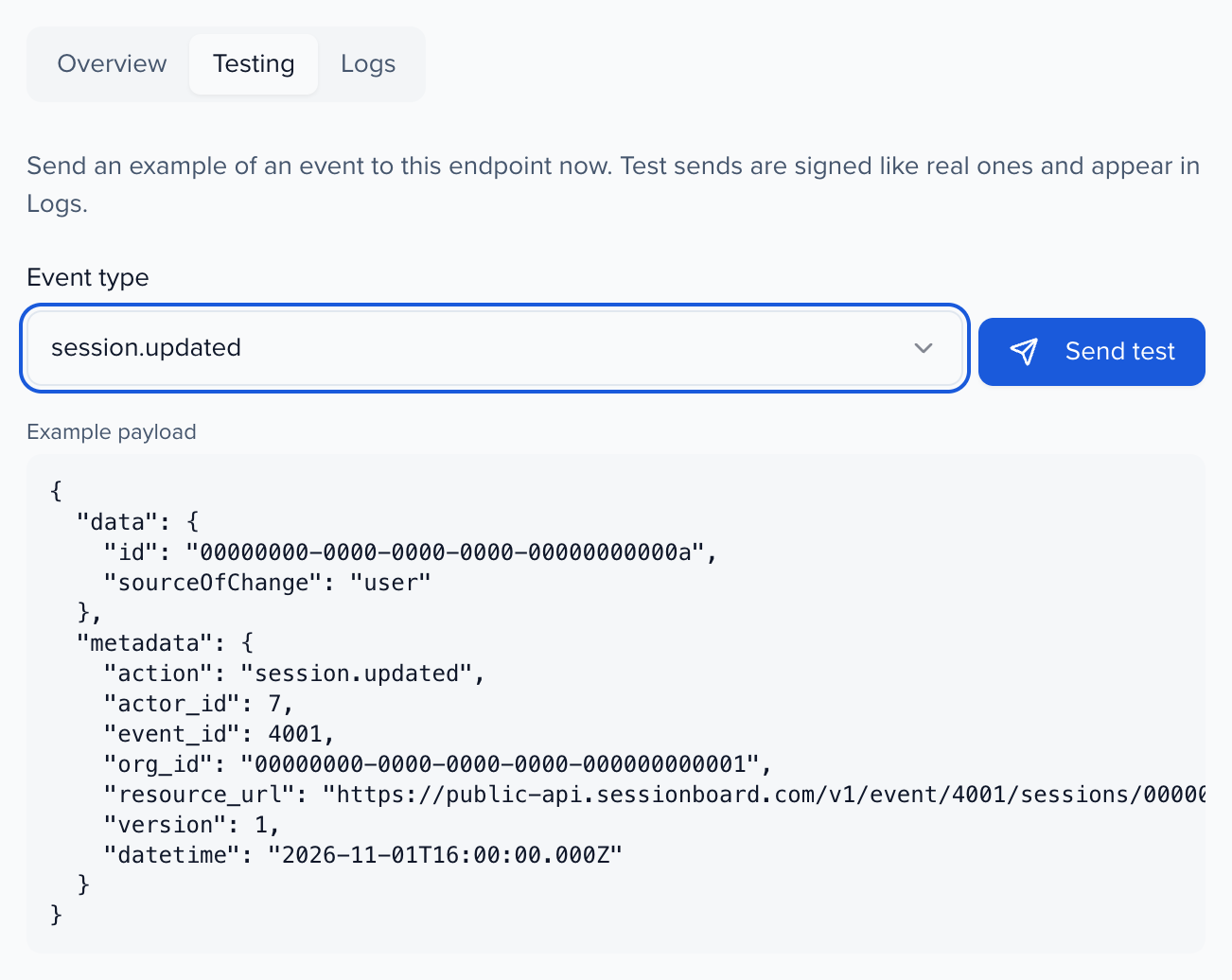
Section titled “Testing”The Testing tab sends an example of any event type to the endpoint, signed like a real delivery, and shows your receiver’s response. Test sends also appear in Logs.
Logs, resend and recover
Section titled “Logs, resend and recover”The Logs tab lists every attempt with its status, response code and duration. Open an attempt to see the payload, your receiver’s response body, or why the request failed (for example a DNS or TLS error).
- Resend queues a message again. If a retry is already waiting, it is sent now instead of adding a copy.
- Recover failed messages resends every message since a time you choose that has never been delivered successfully.
Creating, editing, deleting, revealing or rotating an endpoint’s secret is recorded in History.