

Collect sponsor and exhibitor payments
Sessionboard takes payments in two places: a submission fee on a submission form and an entry fee on an awards form, both through the payment gateway connected under the organization’s Settings → Payment Settings. Those invoices appear under Program → Invoices and the awards Invoices page.
Sponsor and exhibitor packages are not billed through Sessionboard. Booth fees, sponsorship tiers and add-ons are usually contracted and invoiced from your finance system or registration platform, so the group portal is where you direct people to pay and record that they did.
Point them to your payment page
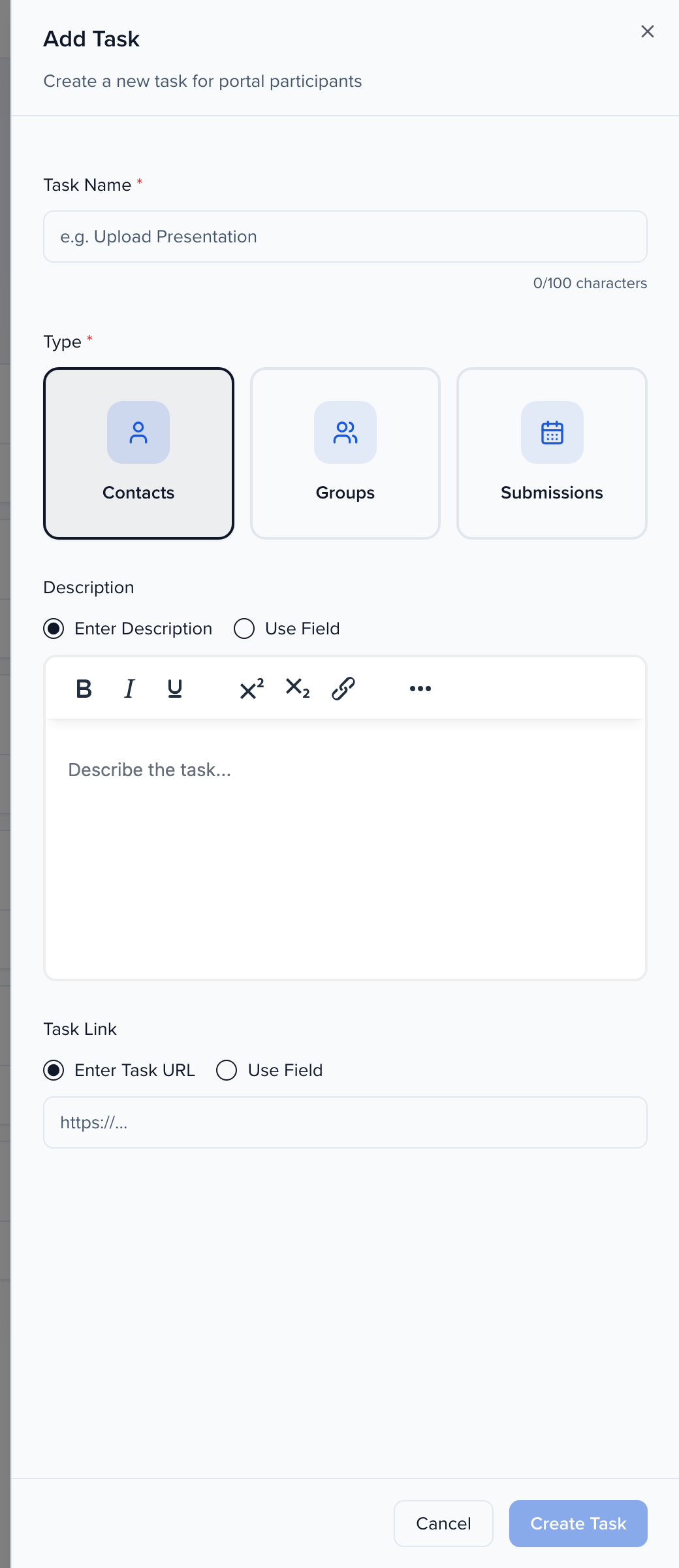
Section titled “Point them to your payment page”- Open Program → Portals → Tasks and add a task — “Pay your sponsorship invoice”, for example.
- Set Task Link to your payment page. Enter Task URL sends everyone to one page; Use Field sends each group to a personal link stored on their record, such as an invoice URL you imported.
- Assign the task to the sponsor or exhibitor portal with a due date and mark it Required so it sits at the top of their list.
The sponsor marks the task complete once they have paid, and the task column on CRM → All Sponsors shows you who has and who has not. See Assign tasks.
Record the payment
Section titled “Record the payment”- Add a File Request to the portal for a remittance or proof of payment, which lands on the group’s record for your finance team.
- Track amounts on the group record with Currency fields — Package fee, Amount paid — and a Formula field for the balance, then filter All Sponsors on the balance to chase the stragglers.
- The Tiers page under Sponsors keeps the package definitions themselves.
If you need a native sponsor invoice in Sessionboard, tell your account team; requests like this shape the roadmap.