

Can participants submit more than one proposal?
Yes. By default there is no cap on how many proposals one person can submit through a form.
How a submitter adds another
Section titled “How a submitter adds another”When someone who has already submitted opens your form link again and signs in with the same email address, the form shows Your submissions for this form — every submission and saved draft they have on that form — with a Start new submission button. They do not need a separate link.
The confirmation page after a submission offers Print submission and Continue to portal; it has no built-in “submit another” button. If you want to point people back to the form from there, put the form link in the success page message (Form Settings → Customize the success page message).
Limiting submissions
Section titled “Limiting submissions”| Setting | Where | Scope |
|---|---|---|
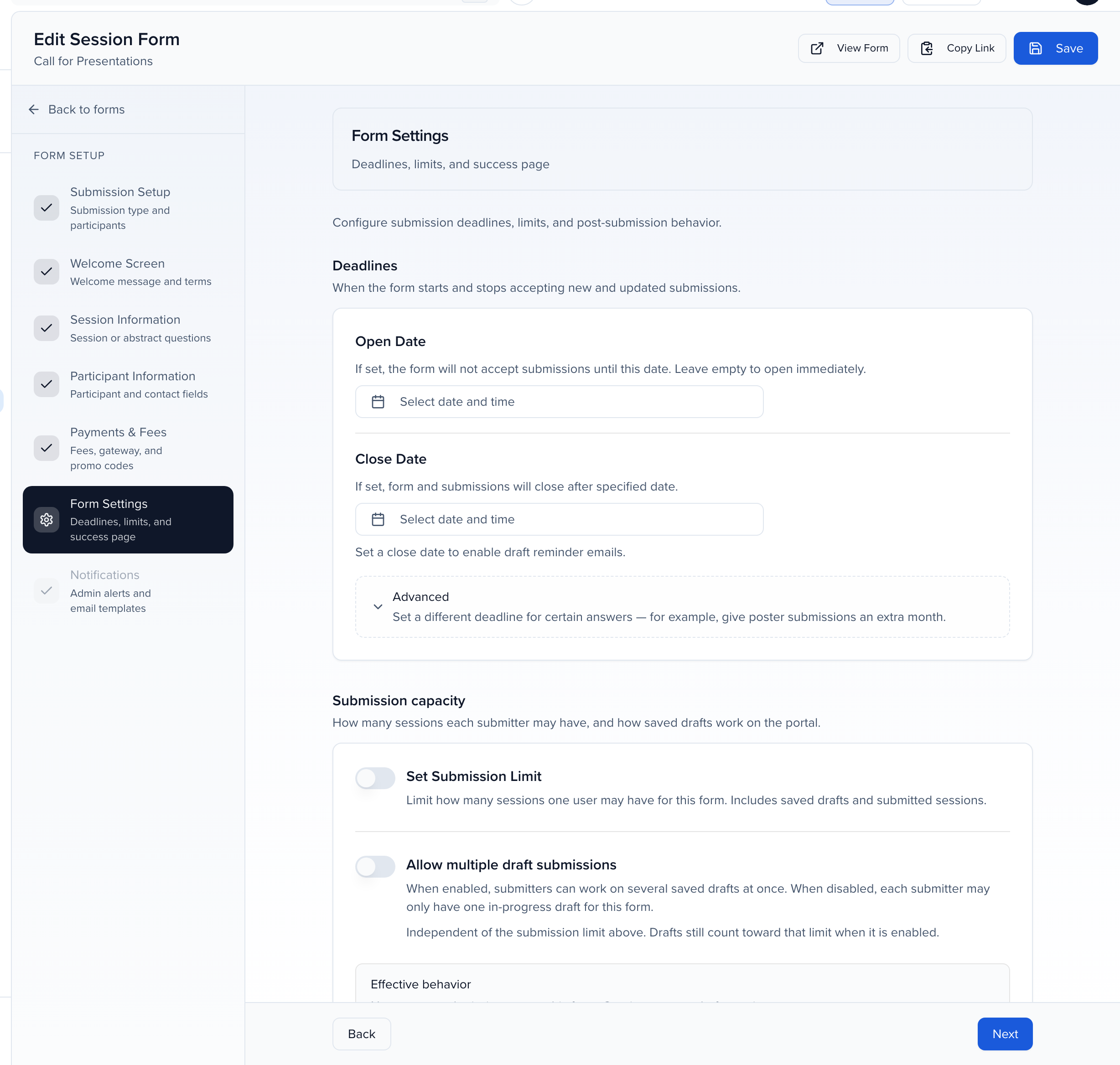
| Set Submission Limit | Program → Forms → Edit → Form Settings | Caps submissions on that one form. Saved drafts count toward the limit — at the cap the submitter can finish a draft but sees “Submission limit reached” instead of Start new submission. |
| Set submission limit | Record Settings → General | Caps submissions per person across every form in the event. Used when no form-level limit is set. |
Both are described in Submission forms and Event details.
Watch for duplicate contacts
Section titled “Watch for duplicate contacts”The submitter is matched by the email they sign in with, so repeat submissions land on one contact. Co-speakers entered on more than one proposal can be duplicated if they are added under different email addresses. Run the duplicate merge after the form closes and confirm every submission has its speakers assigned.