

Viewing subsessions within the agenda
Subsessions live inside their parent’s time slot, so the agenda shows the parent as a single block and folds the subsessions into it rather than drawing each one as its own event.
On the calendar
Section titled “On the calendar”In the Day, Week, Month and Rooms views, a parent session’s block carries a small count badge in its top-right corner — the number of subsessions it holds. Hover the badge to see each subsession’s time and title; hover anywhere else on the block for the parent’s own title, time and tags.
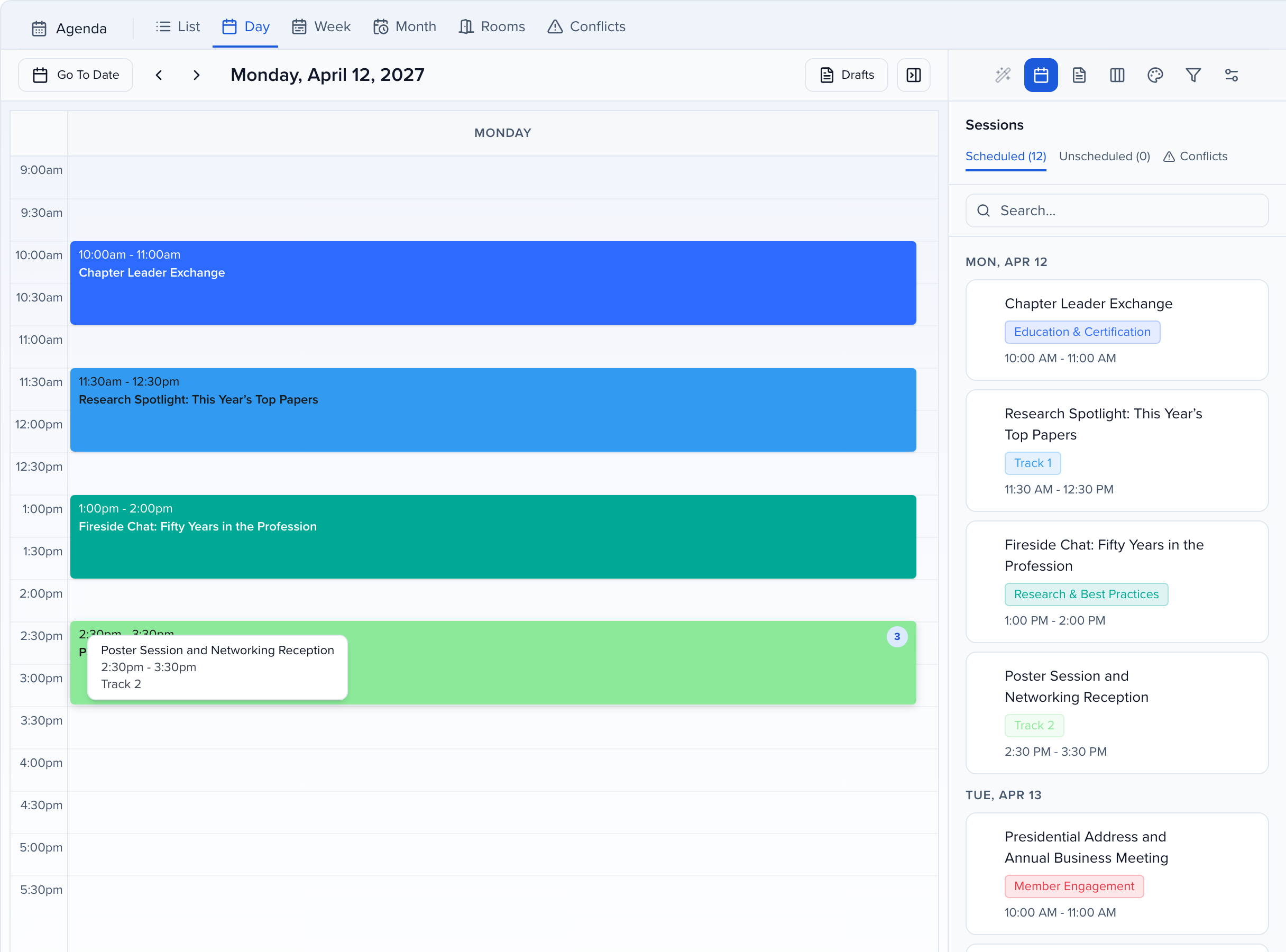
Click the block to open the parent in the side panel, where the Connections tab lists the subsessions with their IDs (SESS-4-1, SESS-4-2, …) and times, and lets you open each one.
On the list
Section titled “On the list”On the agenda’s List tab — and on Program → Sessions — a parent row has an expand arrow at its left edge. Click it to nest the subsessions under the parent; each subsession row has its own pencil to open it.
A parent’s subsessions load when you expand it, so on an event with many subsessions you may see a short Loading row before they appear. Once loaded, they stay loaded until the list reloads. When you search or filter, a parent that matches only through its subsessions shows just the matching ones, already expanded; clear the search to see all of them again.
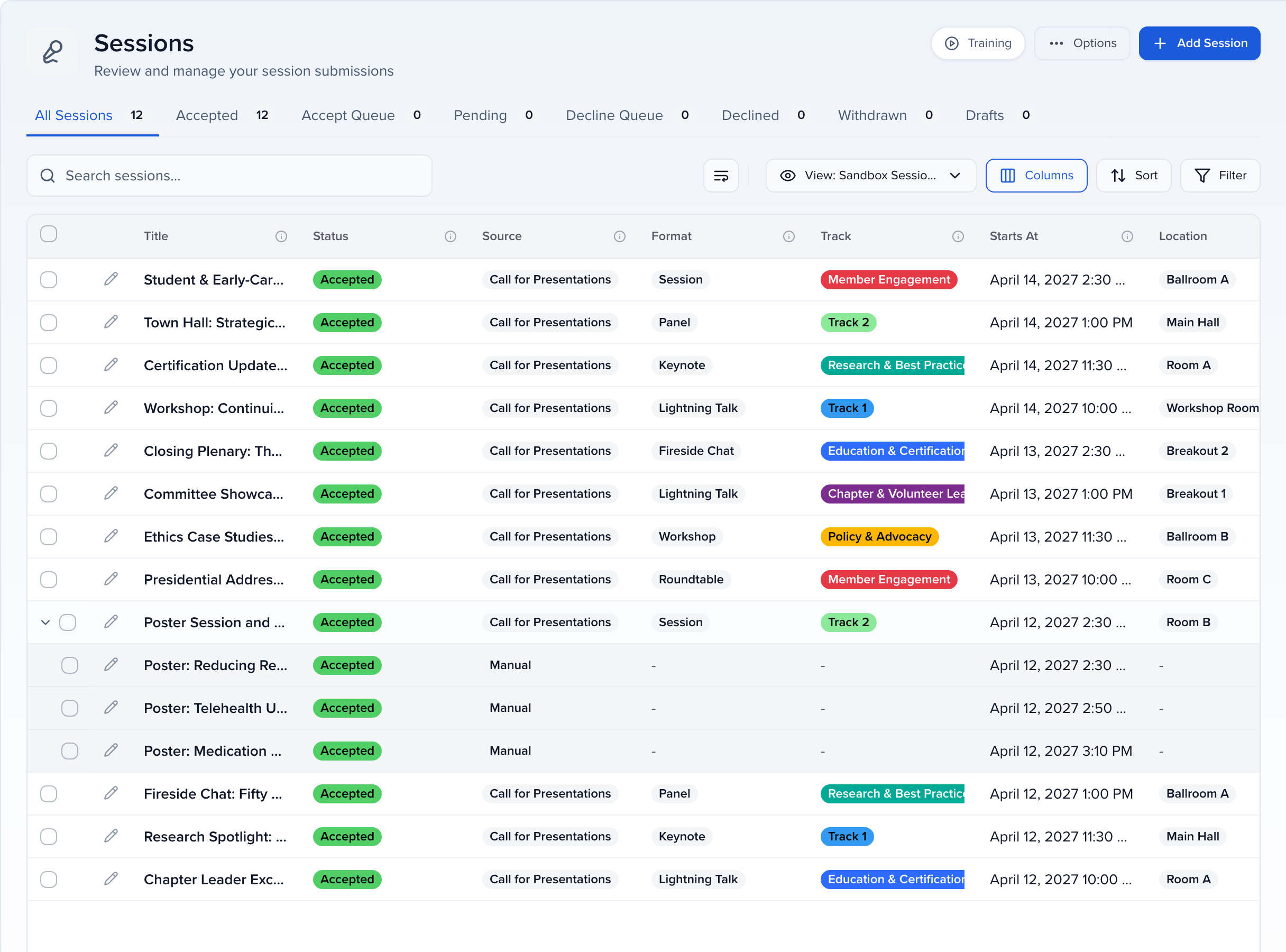
Subsessions appear in the order set on the parent’s Connections tab. Drag them into a different order there and the agenda, the session detail view and the Agenda embed follow — see Reorder subsessions. Subsessions that have not been given a position are listed after the ordered ones, by start time.
Moving or resizing the parent
Section titled “Moving or resizing the parent”Subsessions always stay inside the parent’s slot:
- Drag the parent to a new time and every subsession moves by the same amount, so a poster session that ran 2:30–2:50 inside a 2:30–3:30 parent still runs in the first twenty minutes after the parent moves to 4:00.
- Shorten the parent so the subsessions no longer fit, and Sessionboard compresses them proportionally to the new slot instead of leaving any of them outside it.
- Edit a subsession’s own time from its Details tab and it must still start and end within the parent; the editor tells you if it does not. To lay several out back to back, use Sequence times on the parent — see Schedule subsessions back to back.