

Reward advocates and read their results
A reward gives advocates something to share for: VIP lounge access for anyone who brings three people, or a ticket for the top ten. Advocates see their progress on their share page, Sessionboard emails them when they unlock a reward, and you see who earned what. The same counting drives a campaign’s results by channel and by advocate.
In pictures 2
Why use it
Section titled “Why use it”Most advocates share once and stop. A goal they can see — “2 more to unlock it” — brings them back, and a contest with a public leaderboard turns your most connected participants and exhibitors into a friendly competition. Because rewards count only what each advocate’s own link brings, with self-referrals, duplicates and bots left out, you can promise a prize without worrying about gaming.
Add a reward
Section titled “Add a reward”Open the Rewards card
Open the campaign. The Rewards card sits under Reminders; it is also on the Landing page step when you edit the campaign. Click Add reward.
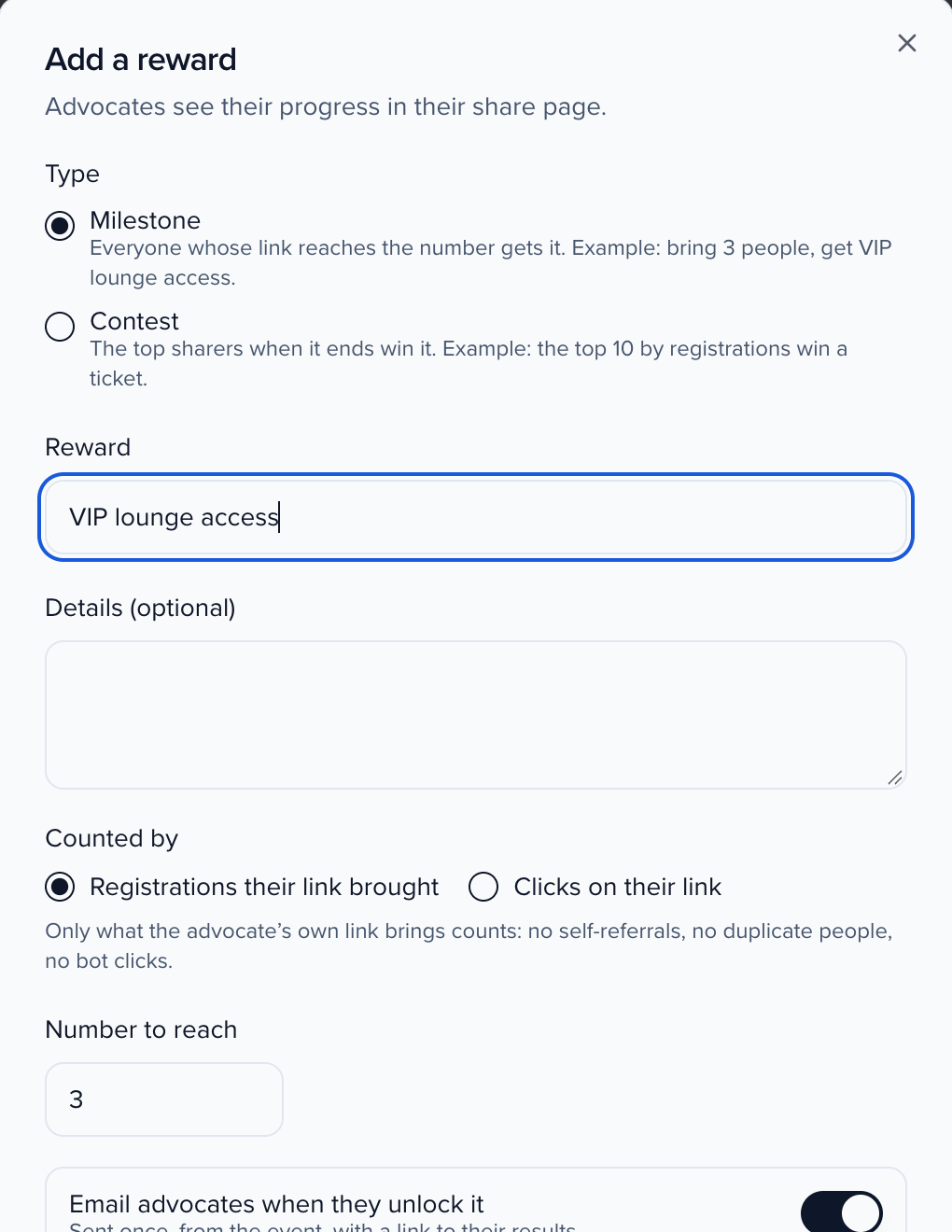
Pick the type
- Milestone — everyone whose link reaches the number gets it. Example: bring 3 people, get VIP lounge access.
- Contest — the top sharers when it ends win it. Example: the top 10 by registrations win a ticket.
Describe it
Name the Reward and add Details (optional). Advocates see both.
Set how it's counted
Counted by is Registrations their link brought or Clicks on their link. For a milestone, set the Number to reach (1 to 10,000). For a contest, set the Winners (1 to 100) and when it Ends, and choose whether to Show a leaderboard to advocates (first names only, on each advocate’s share page).
Set the unlock email
Email advocates when they unlock it is on by default. It is sent once, from the event, with a link to their results. Edit the Email subject and Email message; you can use {first_name}, {reward}, {event}, {count} and {rank}.
Save
Click Save reward. The reward appears on the card with its type, its number and how many people earned it.

Use the pencil to edit a reward and the bin to remove it. Removing asks first: advocates stop seeing the reward, and who already earned it stays on record.
What counts
Section titled “What counts”Only what an advocate’s own link brings counts:
- Clicks count distinct visitors, and clicks from bots are left out.
- Registrations are registrations from people who clicked the advocate’s link: on any page with the website tag recording a conversion named Registration.
- Self-referrals don’t count. A registration from the advocate themselves is left out.
- Duplicate people don’t count. Each person counts once, for whoever brought them first.
An advocate earns each reward once. Rewards are checked after each referred registration, whenever the earners list or a share page opens, and every hour. A contest is settled once, when it ends.
Who earned rewards
Section titled “Who earned rewards”Under the rewards, Who earned rewards lists each advocate who earned one, with the Reward, their Email, the Count or Rank, when they Earned it and whether they were Emailed. Search advocates or rewards, filter by reward or emailed status, sort any column, and export the list as CSV.
What advocates see
Section titled “What advocates see”On their share page, advocates get Your results: “Your link brought N people”, their clicks and registrations, a progress bar for each milestone (“2 more to unlock it”, then Unlocked), and for a contest the end date, their position (“You are #4”) and, when you turned it on, the first-name leaderboard. See Share your event card.
Results by channel and advocate
Section titled “Results by channel and advocate”A campaign’s Analytics tab has two tables that use the same counting as rewards: bot clicks, self-referrals and duplicate people are left out.
- Results by channel — for each channel advocates shared on: Shares, Advocates, Reach (people who opened the link), Clicks, Registrations and Conversion. Each channel hands out its own tagged link, so a click is credited to the channel it came from. Channels include Phone share menu, Email a colleague, Copied link, QR code and Download; clicks on an untagged link are Not tagged.
- Top advocates — every advocate on the campaign, with what their own link brought: Shares, Clicks, Registrations, Top channel, Rewards and Last shared. Filter by Activity (Brought registrations, Got clicks, Shared, Not shared yet) or by top channel, sort any column, and export CSV.
For landings, CTA clicks and conversions on your own website, see Track conversions from Advocacy.
Can I change a reward after advocates have started earning it?
Yes. Edit it from the Rewards card. People who already earned it keep it.
Does the leaderboard show full names?
No. Advocates see first names only, and only when you turned on Show a leaderboard to advocates for that contest.
Someone registered after clicking an advocate's link but it didn't count
Check that the registration happened on a Sessionboard page or on a page with the website tag, that the person isn’t the advocate, and that nobody else’s link brought them first.