

Reverting a subsession back to a parent session
Unlinking turns a subsession back into a standalone session. Nothing is deleted: the session keeps its title, description, participants and times, and simply stops being grouped under the parent.
Open the parent session
Go to Program → Sessions and click the pencil on the parent. On the list, a parent is the row with the expand arrow; its subsessions are nested underneath.
Connections
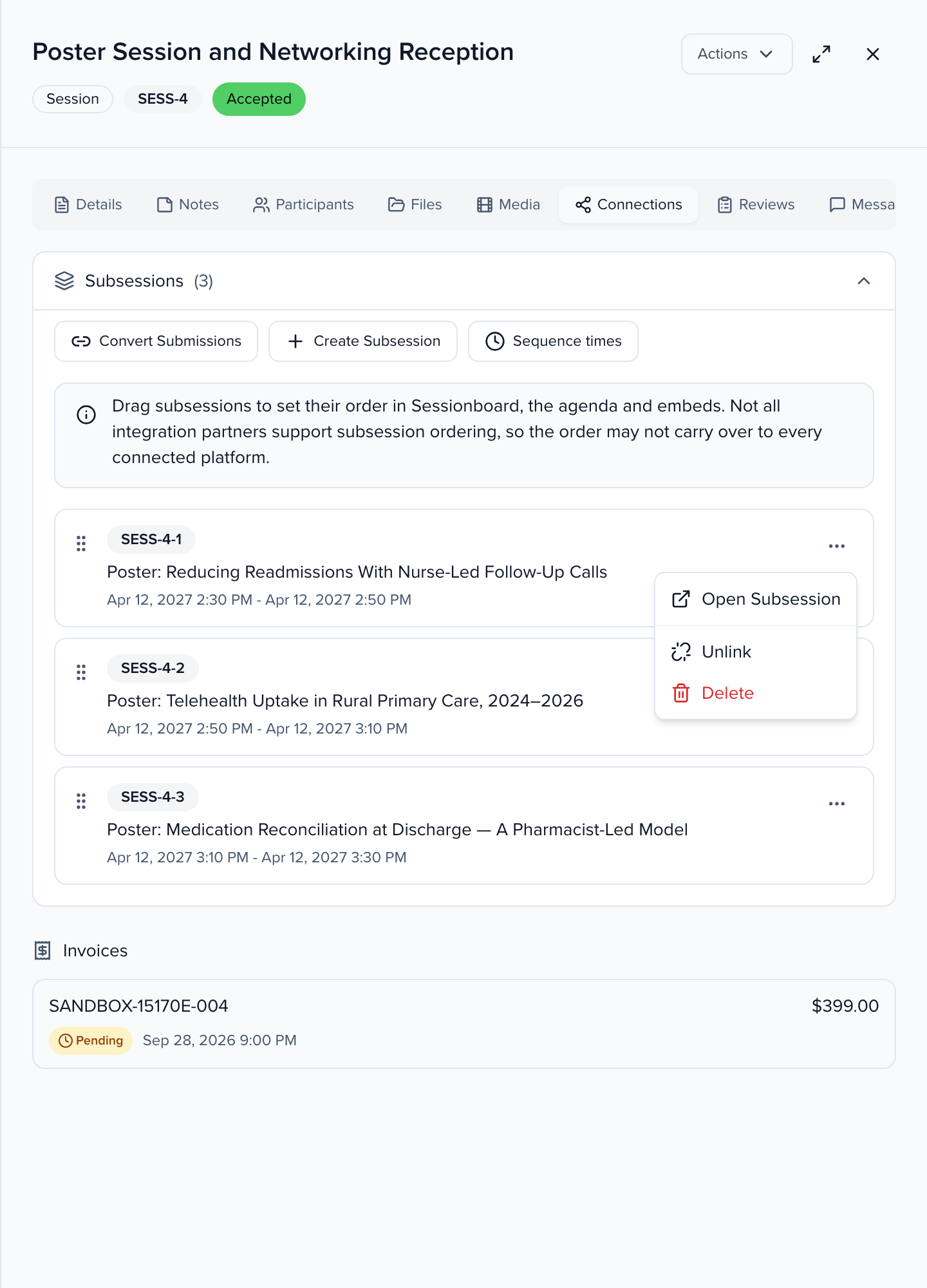
Select the Connections tab. The Subsessions panel lists each subsession with its ID and times.
Unlink
Click the ⋯ at the right of the subsession and choose Unlink.
Confirm
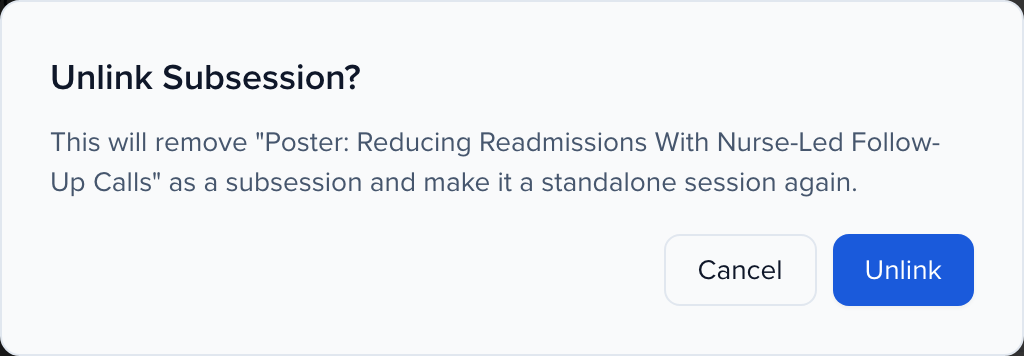
The Unlink Subsession? dialog names the session and explains that it will become a standalone session again. Click Unlink. Sessionboard confirms with Subsession unlinked — The session is now standalone.
What changes when you unlink
Section titled “What changes when you unlink”- It becomes a top-level session. The session moves out from under the parent on the Sessions list and gets its own block on the agenda, at the times it already had.
- Its position is cleared. The order you set by dragging on the parent’s Connections tab is scoped to that parent. If you link the session to a parent again later, it lands at the end of that parent’s list.
- Speakers are taken off the parent. Speakers, moderators and chairpersons who were on the parent only because of this subsession are removed from the parent. Anyone who also appears on another of the parent’s subsessions stays.
- The parent’s count updates. The Subsessions heading, the number badge on the agenda block and any connected app that reads the parent all see one fewer subsession.