

Give someone access to Credit Claiming only
Credit Claiming has its own permissions, so you can give someone the claims and nothing else. Two ready-made roles cover the usual cases: Credit Claiming Manager runs credit claiming for the event, and Credit Claiming Viewer can look but not change anything.
Why use it
Section titled “Why use it”Accreditation often involves people outside your event team: a CE coordinator who handles claims, or a partner association that needs the audit and the report for its accrediting body. Before these roles, they needed broad access to the event to see a single report. Now they sign in to a Credit Claiming–only view and see exactly what they need.
The Credit Claiming permissions
Section titled “The Credit Claiming permissions”In Event Team → Permissions, every role has a Credit Claiming group with two permissions. The group appears on events that run Credit Claiming.
| Permission | What it allows |
|---|---|
| Can view claims, attendance, audit and reports | Open the Credit Claiming page and every tab, the claiming settings and credit types (read-only), and run exports. |
| Can manage credit claiming (claims, credits per session, settings, credit types) | Grant and reverse claims, import attendance and credits, change credits per session, save the claiming settings, and edit credit types. |
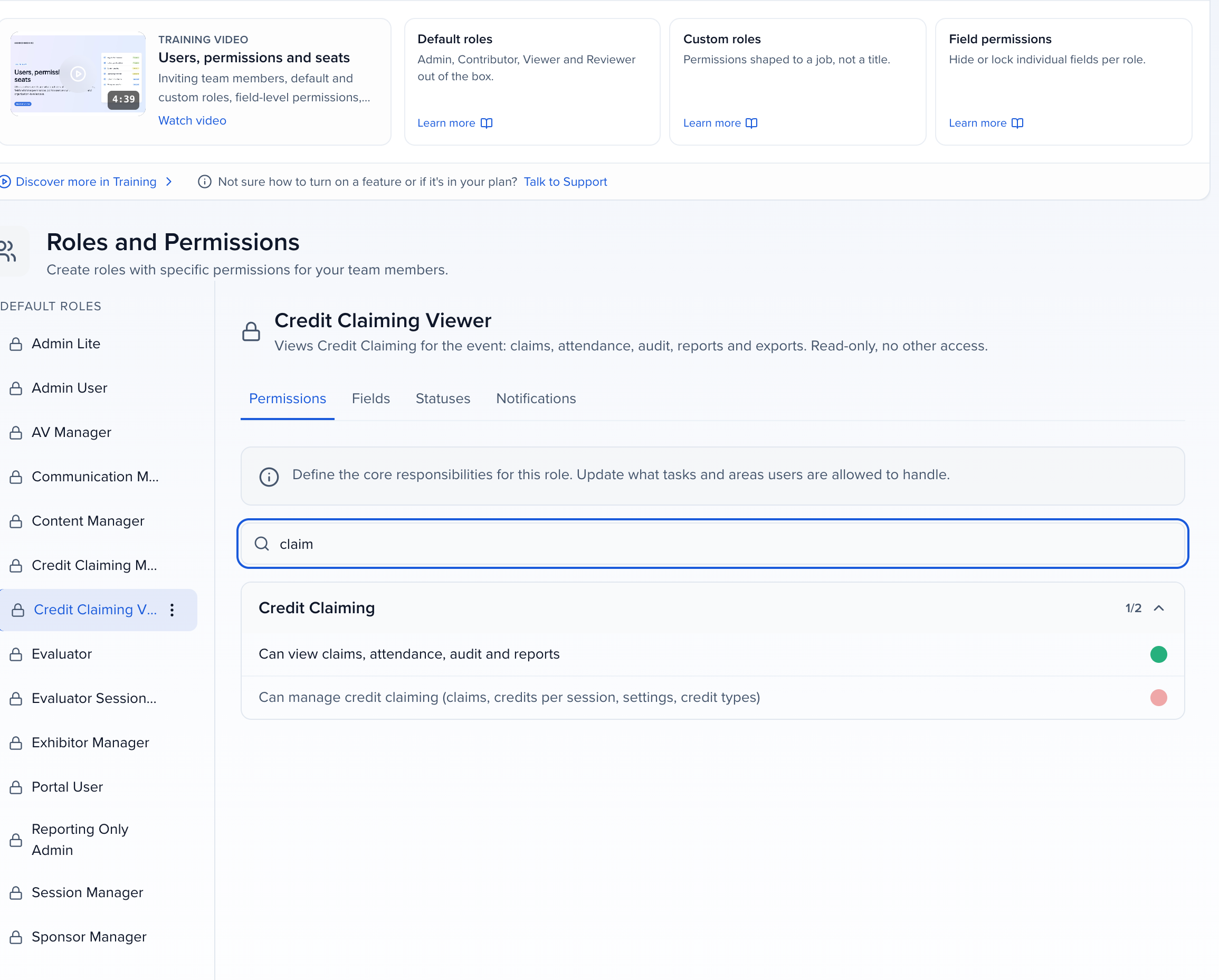
Default roles start with:
- Admin User and Admin Lite: both permissions.
- Reporting Only Admin: view only.
- Every other role, including your custom roles: neither, until you turn them on.
Credit Claiming Manager and Credit Claiming Viewer
Section titled “Credit Claiming Manager and Credit Claiming Viewer”Both are default roles in Event Team → Permissions on events that run Credit Claiming. They can’t be edited; duplicate one to make a variation.
| Role | Holds | Use it for |
|---|---|---|
| Credit Claiming Manager | Both Credit Claiming permissions, nothing else in the event | A CE coordinator who sets up credits, imports attendance and fixes claims |
| Credit Claiming Viewer | View only, nothing else in the event | An accrediting partner or association that needs claims, attendance, the audit, reports and exports |
Invite the person from Event Team and give them one of these roles, as in Invite and manage event team members.
Your organization has the same pair under Organization Settings → Team → Permissions when it runs Credit Claiming. The organization Credit Claiming Manager holds the organization’s Credits permissions (view, create, update, delete), and the organization Credit Claiming Viewer holds view only. Use them for someone who works across every event’s credit.
What they see
Section titled “What they see”A team member whose only permissions are Credit Claiming ones gets a short sidebar: Program holds Credit Claiming, Claiming settings and Credit types, and opening the event lands them on the Credit Claiming page.
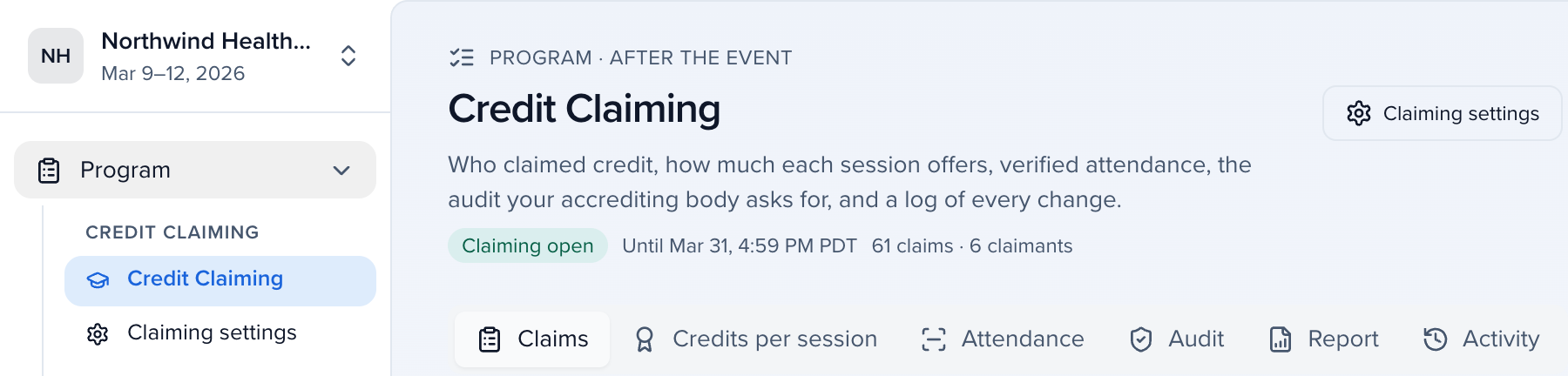
A Credit Claiming Viewer sees every tab, filter and export, and the claiming settings and credit types read-only. Grant credit, Reverse claim, the attendance and credit imports, Apply to N sessions and the save buttons are not there, and the Claiming and Credit types settings open with the note View only — your role can see Credit Claiming but not change it.