Change your username or email
-
Using the following link log into Sessionboard: https://app.sessionboard.com/login
-
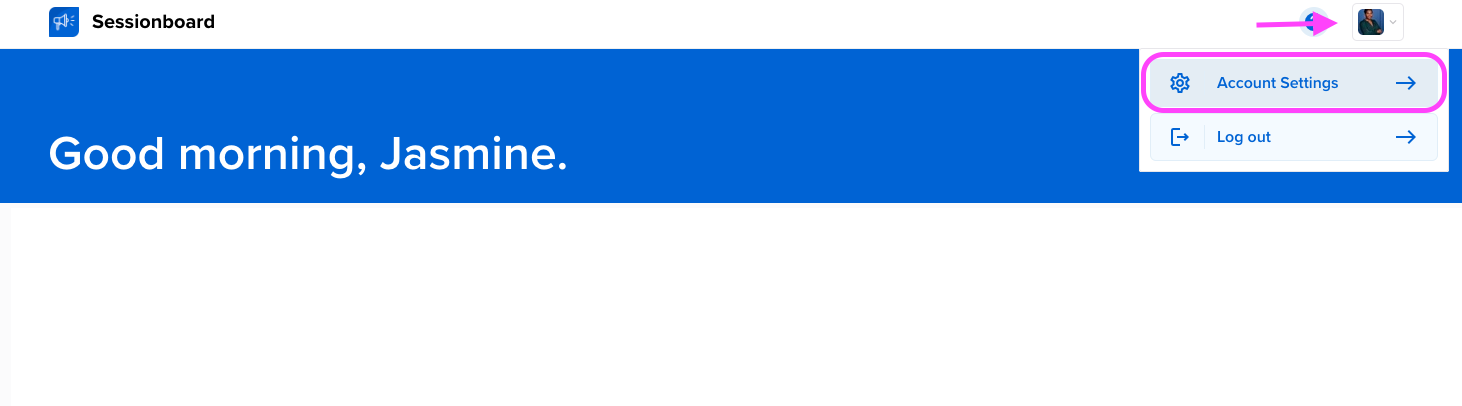
Once you have logged into your account you will have access to a Sessionboard dashboard listing the event(s) you are associated with. Click the square with your initials in the top right-hand corner of your screen and select “Account Settings”. This will take you to your profile.
-
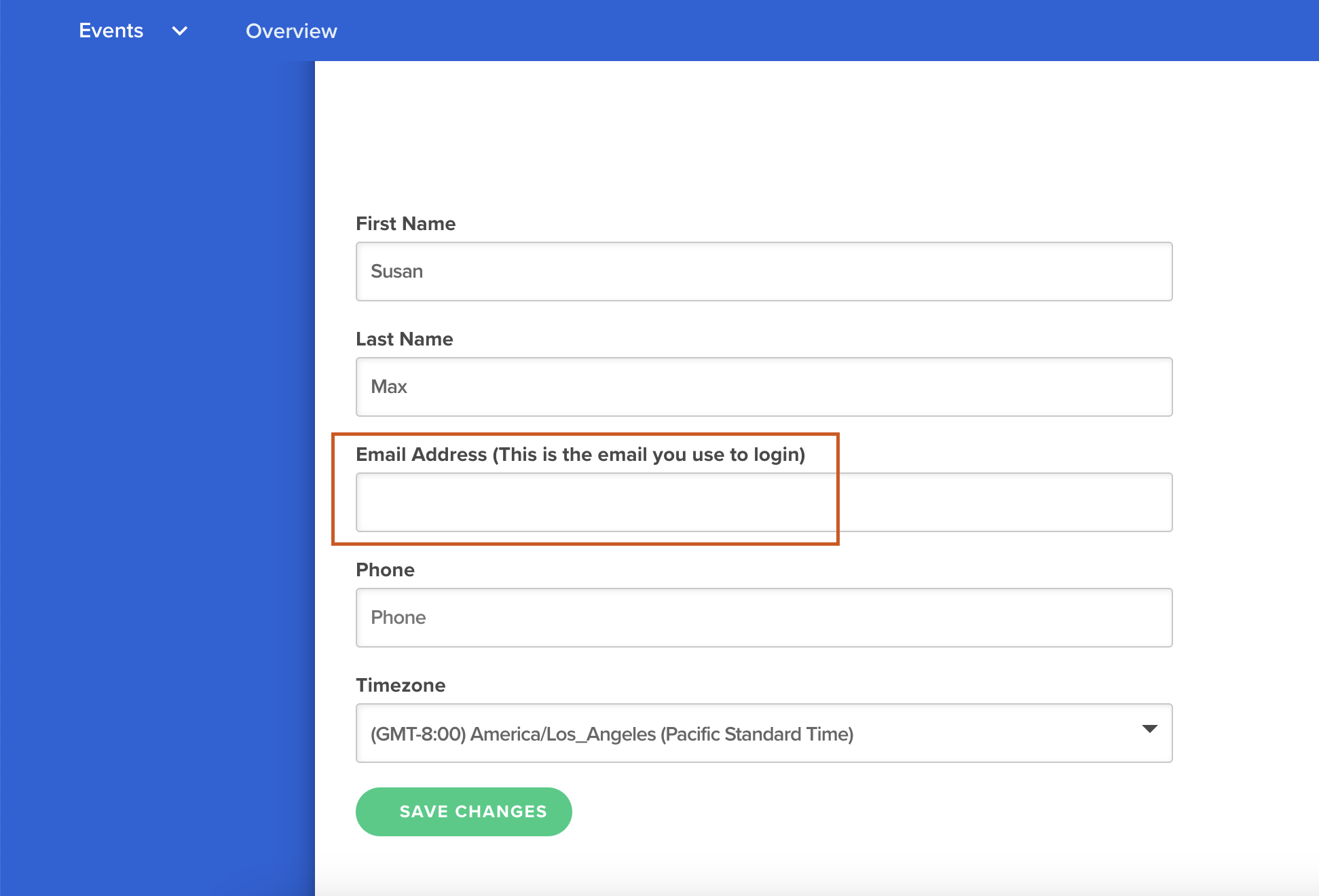
Navigate to the field “Email Address” and update this field with your new email to be used for future login.
-
Once complete, press the green “SAVE CHANGES” button.
PORTAL ACCESS
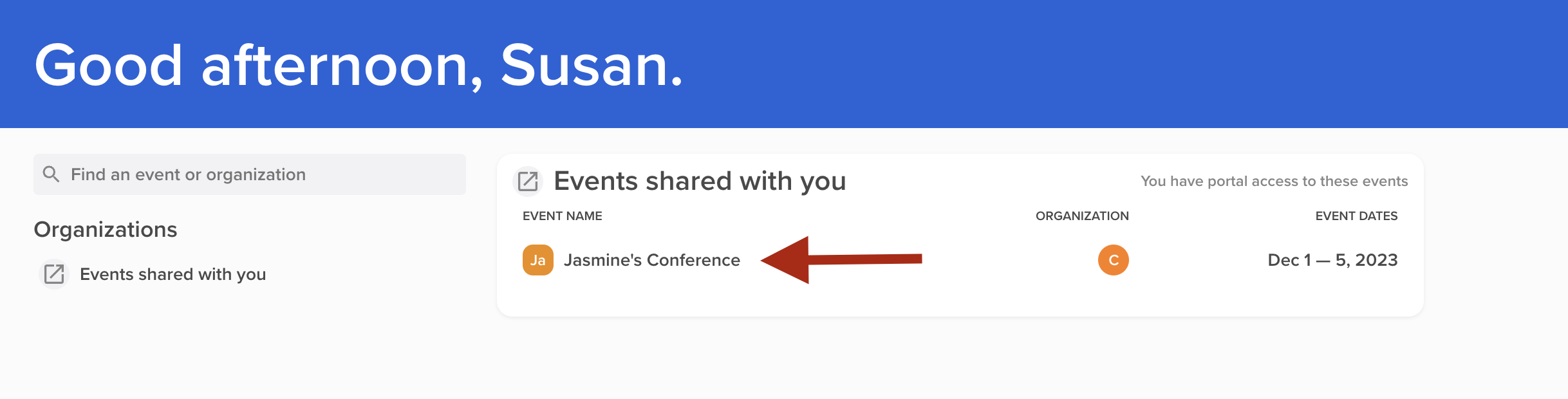
If you are a contact who needs to access a portal, select the event name from the dashboard home page. This will take you to your portal if you have access to the event portal.