

Time a quiz and give extra time
A timed quiz starts its clock when the learner presses Start quiz, and Sessionboard’s servers hold them to it: closing the page, reloading or changing the device’s clock doesn’t add time.
Why use it
Section titled “Why use it”Timed quizzes let you run assessments that mirror real certification exams, where completing questions within a set window is part of the requirement. When answers need a human reviewer — such as written responses or file uploads — learners see exactly where their attempt stands and receive the reviewer’s notes alongside their score once grading is complete. Together these tools give you the controls to run rigorous, accreditation-ready courses directly on your learning site.
Set a time limit
Section titled “Set a time limit”Open the quiz
In the course builder, select the quiz in the outline and open Quiz settings.
Set the limit
Enter the minutes in Time limit (minutes), from 1 to 600. Leave it empty for no time limit.
Publish
Select Publish. The limit applies to attempts started after that.
What learners see
Section titled “What learners see”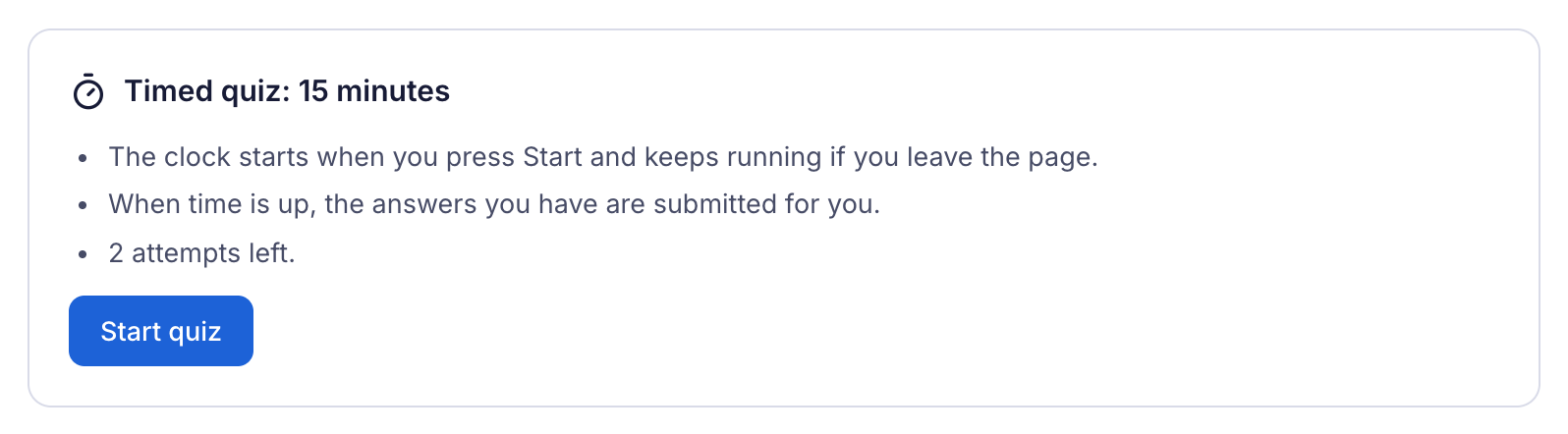
Before starting, learners see how long the quiz runs, that the clock keeps running if they leave the page, that their answers are sent for them when time is up, and how many attempts they have left. The questions appear only once they press Start quiz, so nobody can read them early.
While the quiz runs, a timer stays at the top of the questions. It announces 10, 5 and 1 minute left and 30 seconds left to screen readers, and learners who find a ticking clock distracting can select Hide timer (the announcements still come).
When time is up, the answers the learner has given are submitted and scored.
Give a learner extra time
Section titled “Give a learner extra time”For a learner with an approved accommodation:
Open the learner
Go to Learners and select the learner.
Set their extra time
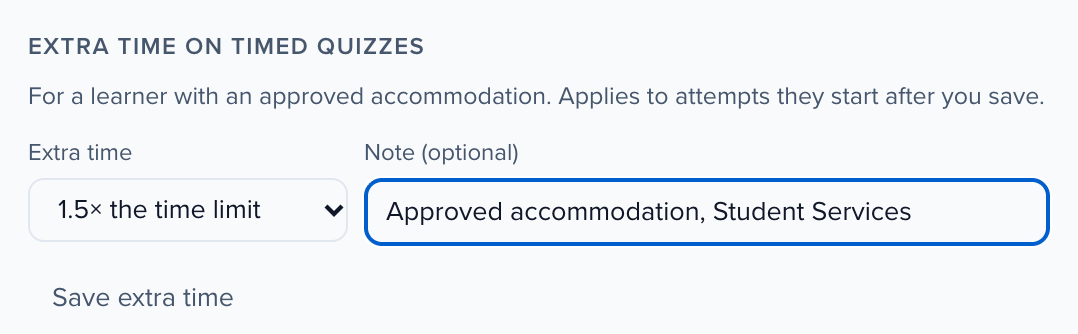
Under Extra time on timed quizzes, choose 1.25×, 1.5×, 2×, 3× or 4× the time limit. Add a Note if you keep a record of the approval.
Save
Select Save extra time.
Extra time applies to every timed quiz in your organization, for attempts the learner starts after you save. An attempt already running keeps its deadline.