

Score written answers and files
Written answer and File upload questions in a graded quiz are scored by a person. Until someone scores them, the learner’s attempt waits and the quiz isn’t passed; the rest of the quiz is already marked.
Find answers waiting
Section titled “Find answers waiting”On Home, Ready for your review shows how many quiz attempts have answers to score. Select Review beside it: Answers to score sits below Waiting for your OK, oldest first.
People who can manage Learning see and score answers. Nobody scores their own.
Score an attempt
Section titled “Score an attempt”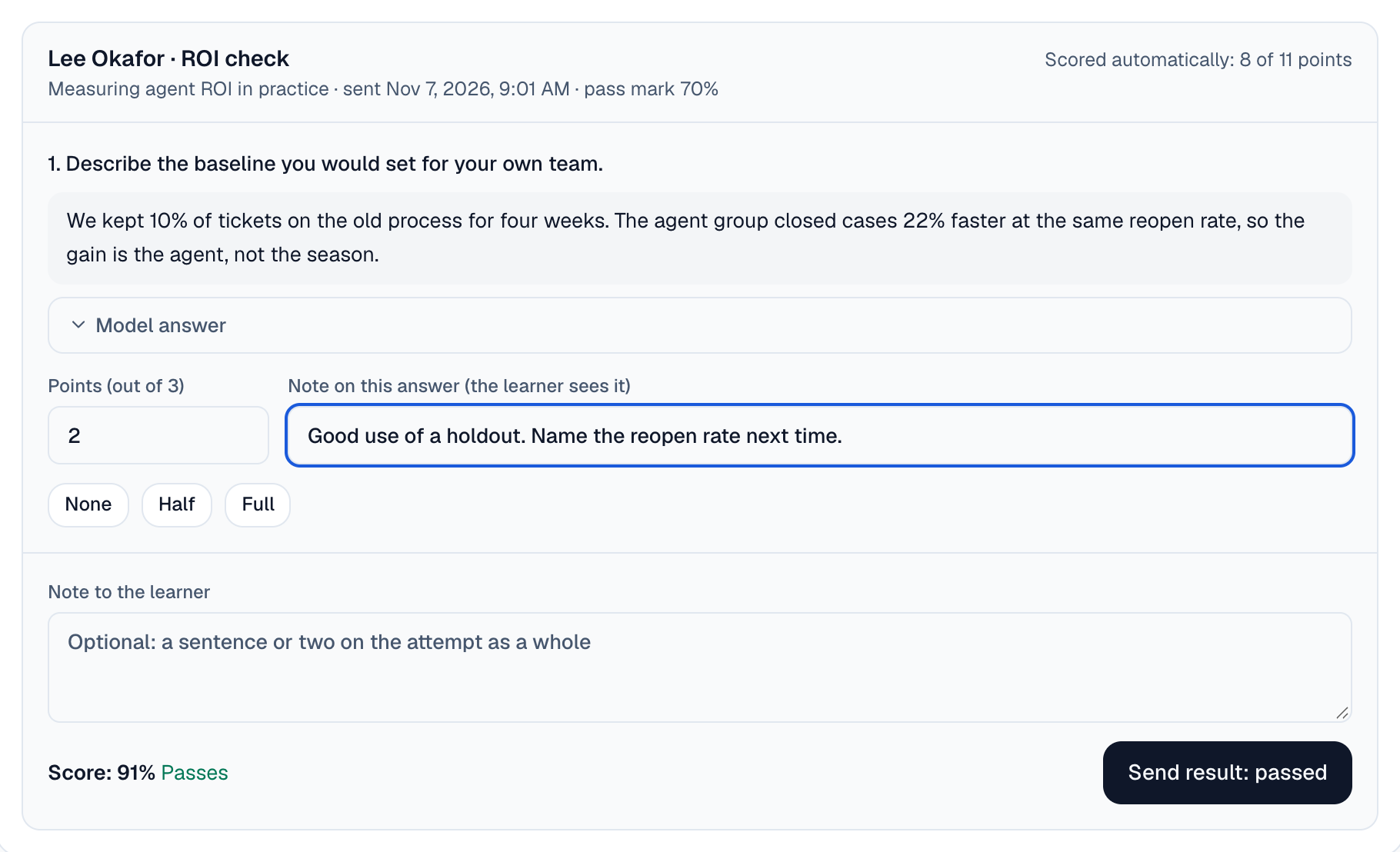
Read the answer
Each card shows the learner, the quiz, the pass mark and the points already scored automatically. Open Model answer to compare with the answer the question’s author wrote. A file opens with Open and its name.
Give points
Enter the points for each answer, or use None, Half or Full. Add a Note on this answer if you want the learner to see why.
Check the result
Once every answer has points, the card shows the score and whether it Passes or is Not yet a pass.
Send it
Add an optional Note to the learner, then select Send result.
A pass completes the quiz as any pass does: the course, its credit and any certification follow. The learner gets a message with the result.
What the learner sees
Section titled “What the learner sees”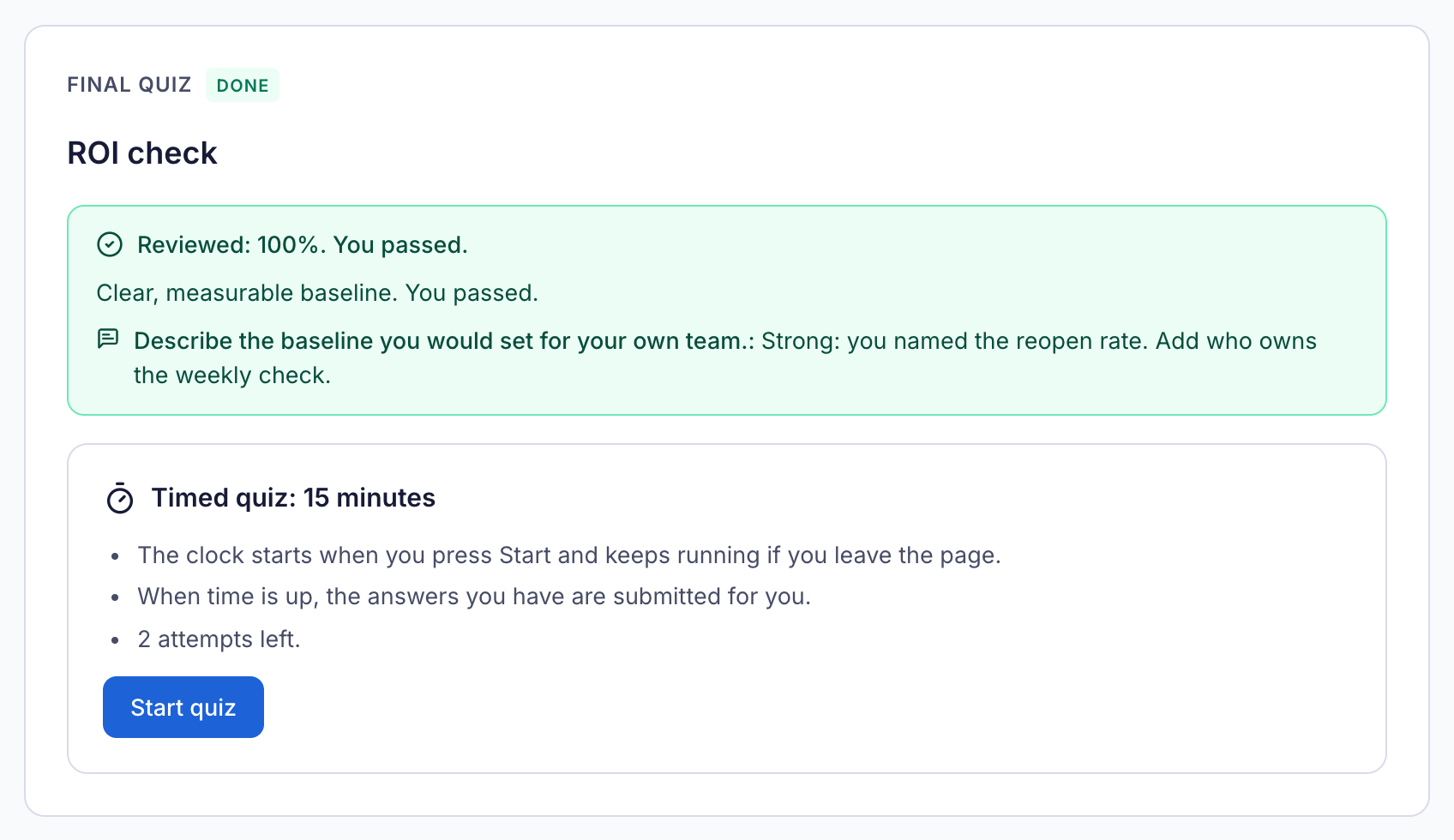
While the answers wait, the quiz tells the learner a person is scoring them. Afterwards it shows the score, whether they passed, your note and each note beside the question it is about. If they didn’t pass and have attempts left, they can try again.