

Reuse questions with the question bank
The question bank holds questions your organization uses in more than one course. Each question has tags, such as roi or baseline. A quiz draws questions from a tag at random on each attempt.
Why use it
Section titled “Why use it”The question bank lets you build a library of reusable quiz questions at the organization level and draw from it across any course. With API access you can manage that library programmatically — importing questions from an existing item bank, keeping questions in sync with an external authoring tool, or automating archival of outdated content at scale.
Add questions to the bank
Section titled “Add questions to the bank”There are three ways in:
- From a quiz you’ve written. Under any question, select Save to question bank, add tags and select Save to bank.
- In the bank itself. In the course builder, select Question bank above the lesson, then New question. Write it as you would in a quiz, add tags and select Add to bank.
- From another LMS. Select Question bank, then Import, and bring in a GIFT, Aiken or CSV file. See Import questions from another LMS.
Tags are lower case. Type one and press Enter; suggestions show the tags already in use and how many questions carry each.
Find and edit bank questions
Section titled “Find and edit bank questions”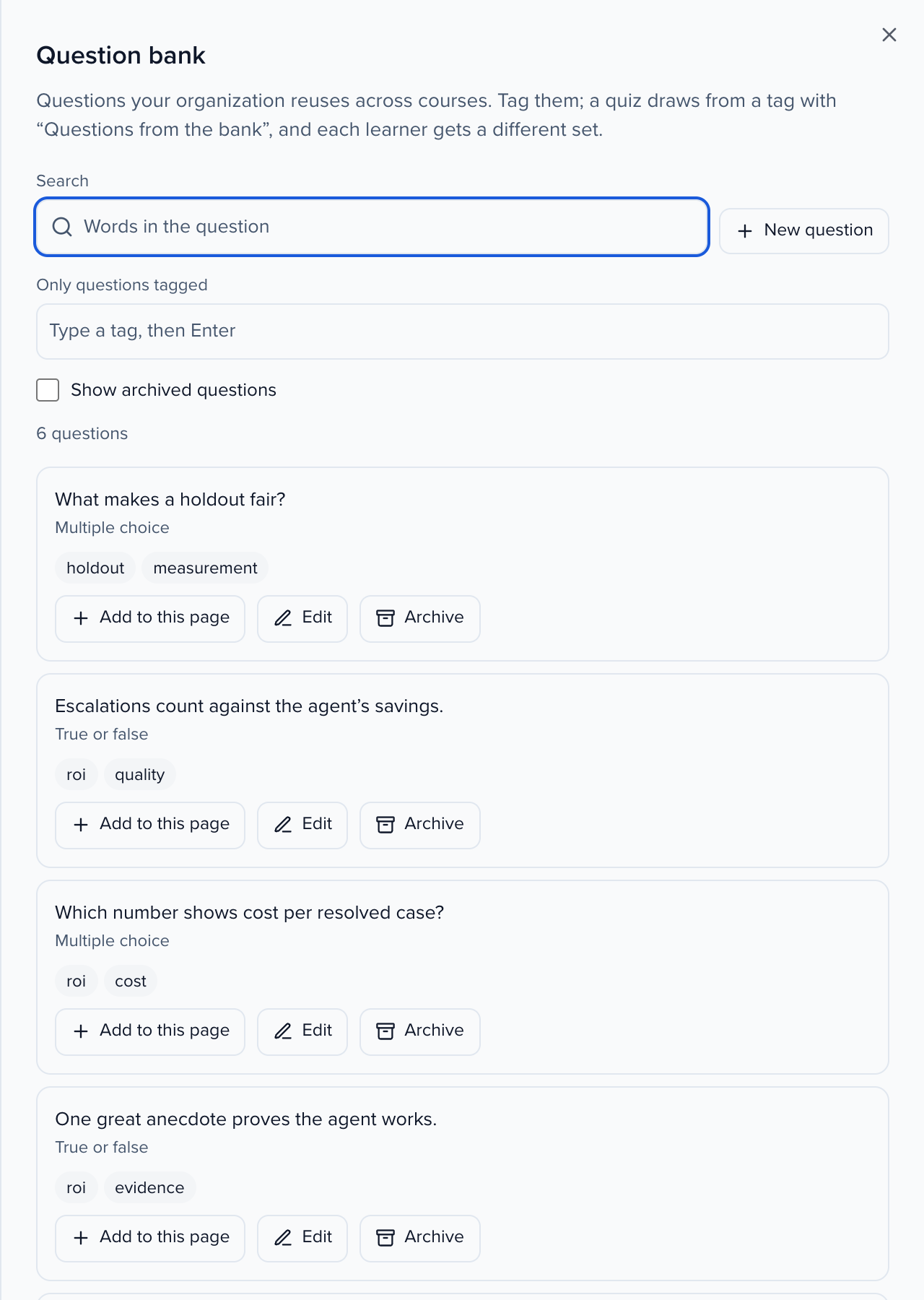
Question bank lists every question, newest first. Search by words in the question, or filter to the questions carrying every tag you name. For each question:
- Add to this page puts a copy in the lesson or quiz you have open. The copy is yours to change; the bank question stays as it is.
- Edit changes the question or its tags.
- Archive takes it out of the bank. Courses that already used it keep their copy. Show archived questions and Restore bring it back.
Draw questions from the bank
Section titled “Draw questions from the bank”Add the block
On a quiz, type / and pick Questions from the bank.
Choose the questions
Add the tags to draw from, and choose questions tagged any of these tags or all of these tags.
Set how many
Set Questions per attempt. Leave Points each empty to keep each question’s own points, or enter a number to give every drawn question the same points.
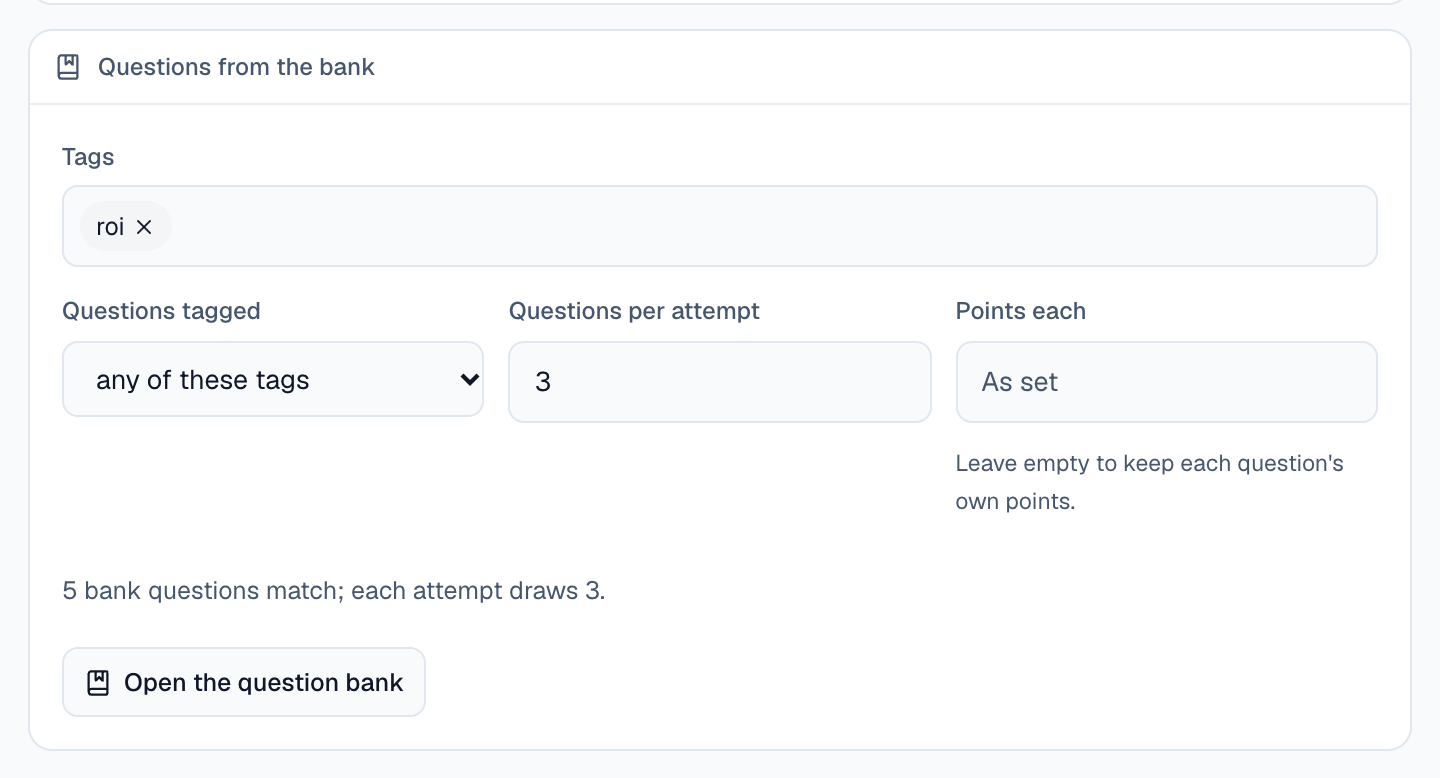
The block says how many bank questions match right now. If fewer match than the quiz draws, it says so, and publishing waits until there are enough.
When you publish, the matching bank questions are copied into the quiz. Each attempt then draws its questions at random for that learner, alongside the quiz’s own questions, and a retake draws again. The more bank questions match the tags, the more the sets vary; when exactly as many match as the quiz draws, every attempt gets the same questions.