
Once you have configured your session submission form, the next step is to share it so that you can begin accepting submissions.
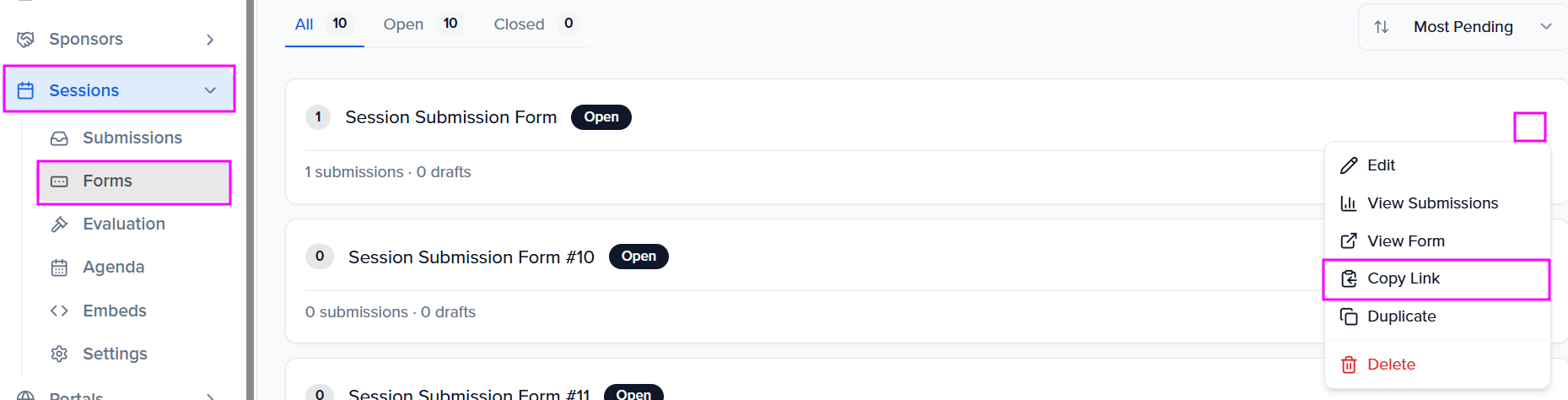
To retrieve your submission form link, click the ellipses to the right of your submission form (Sessions > Forms), click the ellipsis button (...), and select "Copy Link."
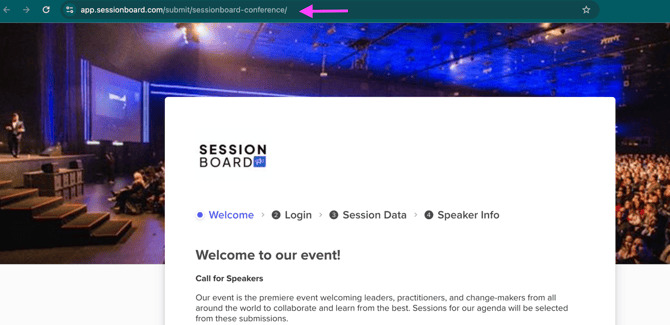
This will open a new tab in your browser. Copy the page URL, which can be either:
Frequently Asked Questions
- Can I embed the form on my website?
-
No — the submission form cannot be embedded on your website. It is only accessible via a shareable link.
-
- Can I establish an open date for my form?
-
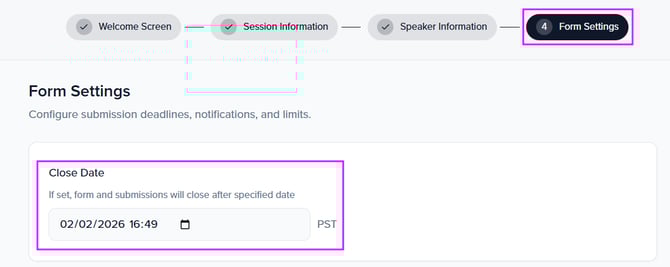
You cannot set an open date, but you can set a close date and time. The close date determines when the form will stop accepting submissions. Submitters will be able to submit session proposals up until that date and time.
-
- Once I create my form, how do I open it?
-
Once your form has been finalized, there’s no separate “open” step required. Simply share the submission form link with your audience to begin accepting submissions.
-